Need help?
Do you have a question about the FIT BIKE Ride 2 and is the answer not in the manual?
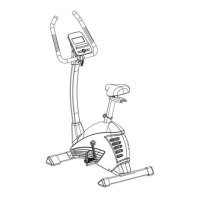
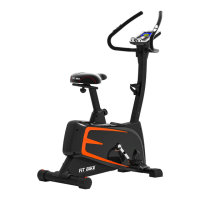
Fix the front stabilizer(B) to the main frame(A) using bolts, washers, and nuts.
Fix the rear stabilizer(C) to the main frame(A) using bolts, washers, and nuts.
Assemble the central support tube(D) to the main frame(A) with bolts and washers.
Insert saddle support tube(E) into frame and secure saddle(H) with nut and washer.
Attach handle bar(F) to central tube(D) using bolts and securing components.
Connect sensor wires(A6) and adjust handle bar position using knob(L).
Connect sensor wires(A6, A7) to computer(G) and secure it to the central tube(D).
Attach left pedal(J1) anti-clockwise and right pedal(J2) clockwise to the crank.
Details the function of each button on the computer console for user interaction.
Specifies the display ranges and setting ranges for various exercise metrics.
Outlines the initial steps for connecting the computer and setting user data.
Guides users on selecting exercise programs like MANUAL, PROGRAM, USER PROGRAM, HRC, WATT.
Explains how to start exercise in MANUAL mode and adjust targets or level.
Instructions for setting TIME target and selecting from 12 program profiles.
Procedure to calculate TARGET pulse based on user AGE and adjust pulse range.
Steps for users to create their own custom exercise profiles.
How to set the target WATT value between 10 and 350 in WATT setting mode.
Explains how to test heart rate recovery status after exercise.
Provides important notes regarding power requirements, power saving, and troubleshooting.
 General
| Resistance | Magnetic |
|---|---|
| Resistance Levels | 16 |
| Display | LCD |
| Programs | 12 preset programs |
| Heart Rate Monitoring | Hand grip sensors |

 To Next Page