11
FUNCTIONS
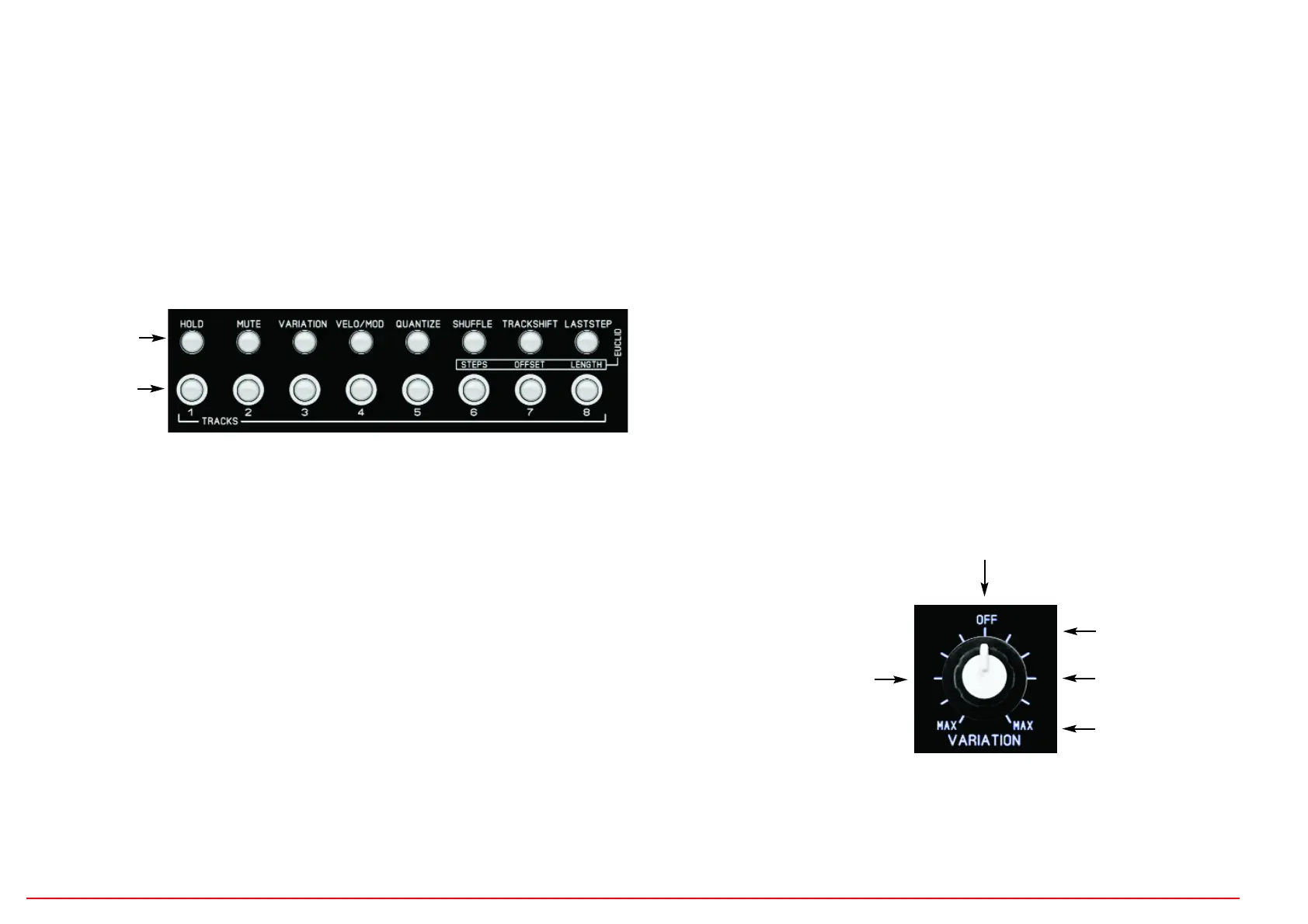
The function menus are located on the 8 buttons above the track buttons.
The 8 function menus can be called up directly by pressing the corresponding button,
unless EDIT PHRASE USER or EUCLID is switched on (PHRASE USER or EUCLID but-
ton flashes!) These must first be switched off again before the functions can be called up.
The function settings are saved in the SCENE and are the same for all patterns in the
scene.
HOLD
Press the HOLD button, the button lights up.
Use the TRACK buttons 1-8 to turn HOLD on/off for the track. The track button LEDs
show the status, the display shows "---", the data controller has no function.
If HOLD is turned on for a track, it cannot be recorded. The recorded notes remain pro-
tected. But you can still play over it live.
MUTE
Press the MUTE button, the button lights up.
Use the TRACK buttons 1-8 to turn the MUTE on/off for the track. The track button LEDs
show the status, the display shows "---", the data controller has no function.
MUTE suppresses playback of the track. If MUTE is on for a track, it cannot be recorded.
The recorded notes remain protected.
VARIATION
Press the VARIATION button, the button lights up.
Use the TRACK buttons 1-8 to switch VARIATION on/off for the track. The track button
LEDs show the status, the display shows "---", the data controller has no function.
VARIATION activates the VARIATION control for the track. All tracks where VARIATION
is switched on are influenced together by the controller. The controller creates different
random algorithms for velocity and triggers that affect the playing notes.
Effect of the controller setting:
8 Functions
Track keys
Center position
no effect
To turn right:
Randomness increasing on
all velocity values.
From here on, some notes
are completely suppressed
maximum effect
(track thinning)
To turn left:
Increasing randomness
for all velocity values less
than 110. This means that
very loud notes stay loud,
quieter ones vary more.


 To Next Page
 Loading...