MGS200 Installation Guide Feb, 10
Condential Version 1.4
Tools Required:
Work order/system outline:
1. Full compliment of various screw
drivers
2. Crimping tool for crimp connectors
3. Wire cutters and strippers
4. Ring, spade, splice crimp connectors
(red and blue)
5. Small spools of red and black 16
gauge wire
6. Digital multimeter
7. 7” black cable ties
8. Silicone
9. Soldering iron and solder
Verify the requirements of the installation as described in
the work order
Special instructions should be outlined on the work order
Hardware location and preparation:
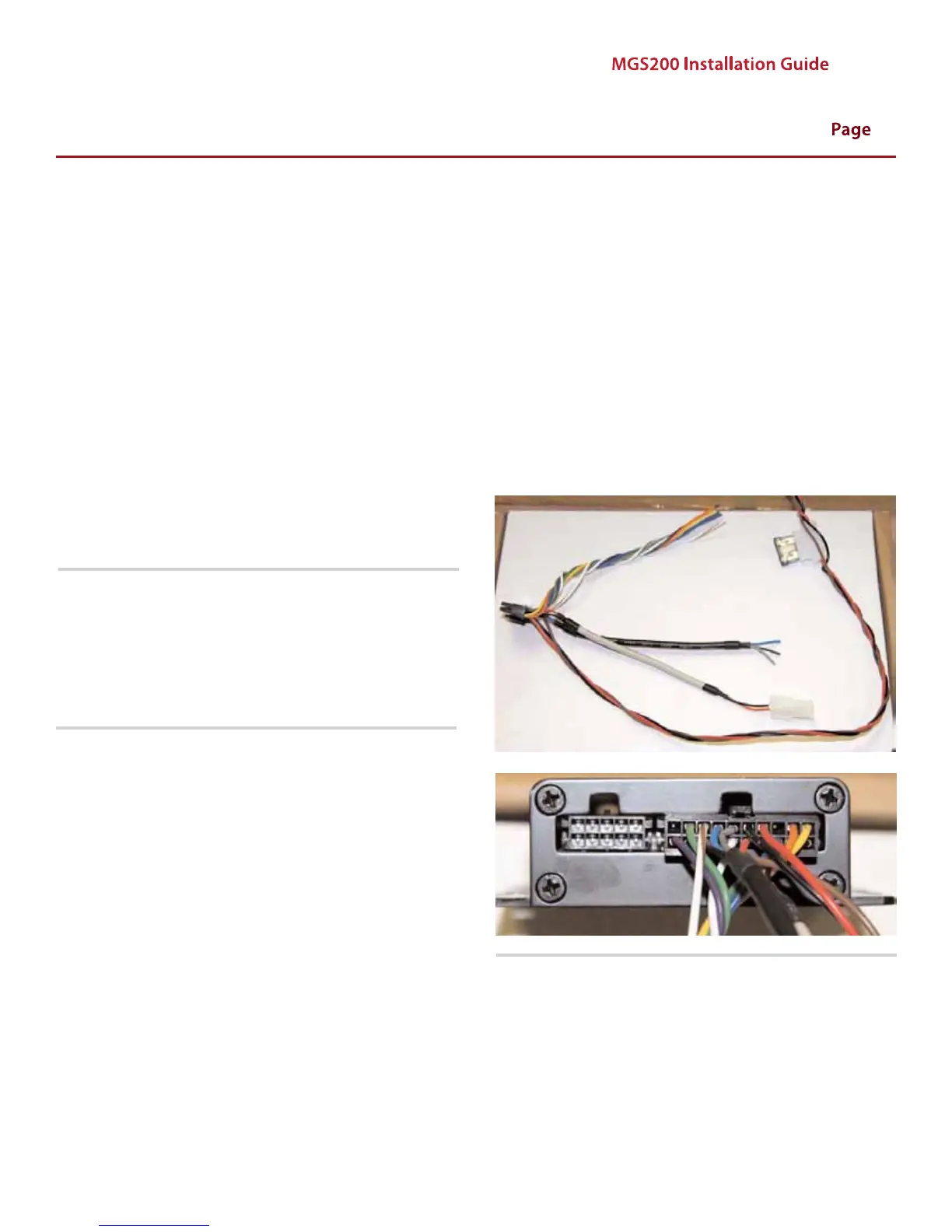
Note: It is important to insulate the wires not being used on
the wire harness during the installation. Improper insulation
could result in inaccurate notications and increased usage on
monthly billing.
Find a suitable location for the MGS if one has not been
specied on the work order. The MGS is usually installed
under the vehicle’s dash.
Keep the device away from any places of high moisture i.e.
under seats, oors, etc.
Prepare all connections for the MGS, cable harness and
fuse holder prior to commencing installation.
•
•
•
Page 02


 To Next Page