EasyManua.ls Logo

Fluke 6062A - Page 25

Fluke 6062A
86 pages
Print Icon
To Next Page IconTo Next Page
To Previous Page IconTo Previous Page
Loading...
Table
2-1.
Front Pane!
Controls, Indicators, and
Connectors
(cont)
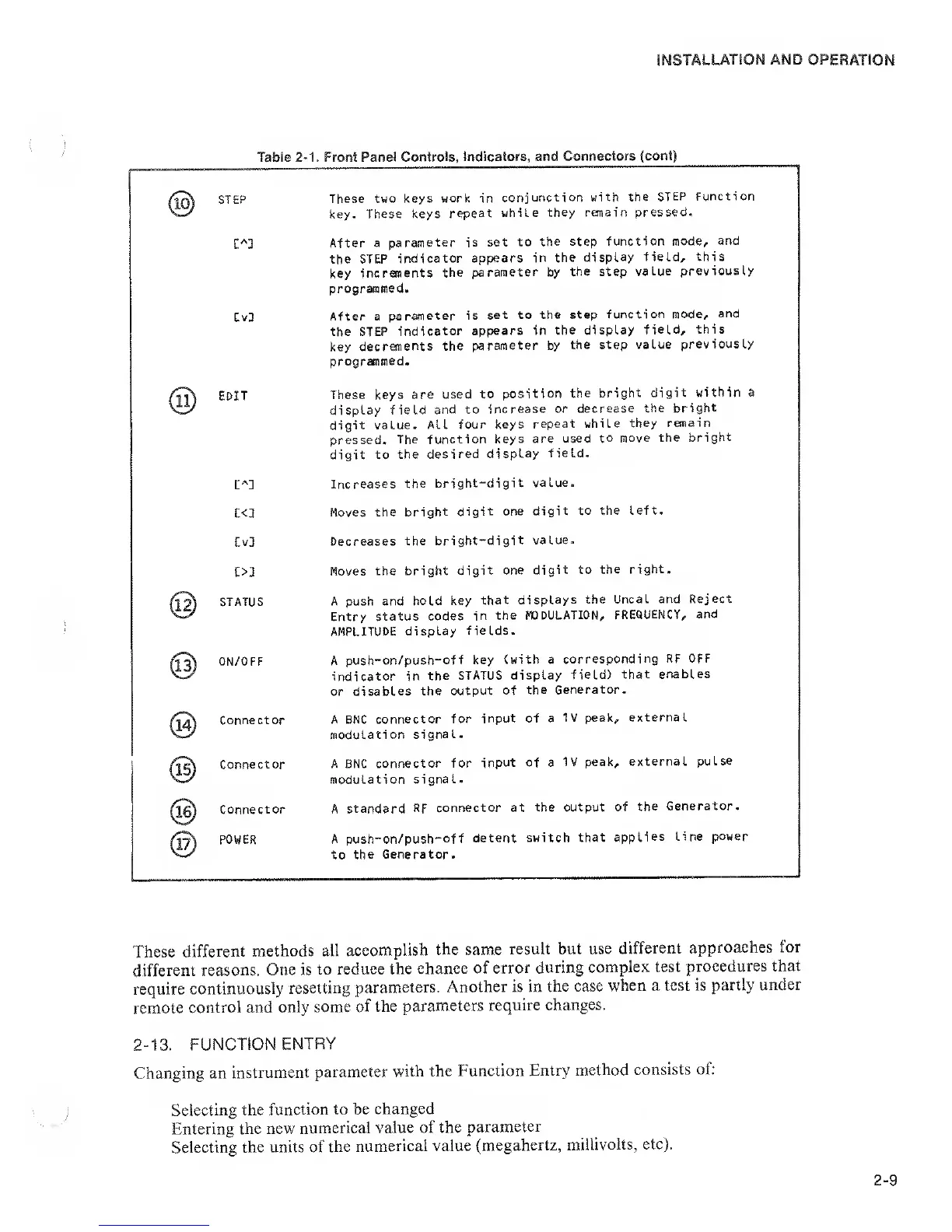
STEP
CvD
@
edit
t<l
Cv3
ON/OFF
Connector
Connector
Connector
POWER
These two keys
work in
conjunction
with the
STEP Function
key.
These keys
repeat while
they remain
pressed.
After
a
parameter is set
to the
step function
mode,
and
the STEP
indicator
appears
in the display
field, this
key
increments
the
parameter by
the step
value previously
programmed.
After
a
paraneter is
set to the
step
function mode,
and
the STEP
indicator
appears in
the display
field, this
key
decrements the
parameter by
the
step value
previously
programmed.
These keys
are used
to position
the
bright digit
within a
display field
and to
increase or
decrease
the bright
digit value.
All four
keys
repeat while
they
remain
pressed.
The function
keys are
used to
move the
bright
digit to
the
desired display
field.
Increases
the
bright-digit
value.
Moves the
bright digit
one digit
to the left.
Decreases
the bright-digit
value.
Moves
the bright
digit one
digit to
the
right.
A push and
hold key
that
displays the
Uncal and
Reject
Entry
status codes
in
the MODULATION,
FREQUENCY,
and
AMPLITUDE
display
fields.
A
push-on/push-off
key
(with a
corresponding
RF OFF
indicator in
the STATUS
display
field)
that enables
or disables
the output
of
the Generator.
A BNC
connector for
input of a
1V peak,
external
modulation
signal.
A BNC
connector for
input of a
IV peak,
external
pulse
modulation
signal.
A
standard
RF connector
at
the output of
the
Generator.
A push-on/push-off
detent
switch
that applies
Line
power
to
the Generator.
These
different
methods all
accomplish
the same
result but
use
different
approaches
for
different
reasons. One is
to reduce
the
chance of
error during
complex test
procedures that
require
continuously
resetting
parameters.
Another is in
the case
when a test
is partly
under
remote
control and
only some
of the
parameters
require
changes.
2-13. FUNCTION
ENTRY
Changing an
instrument
parameter
with the
Function
Entry
method
consists of:
Selecting the
function to be
changed
Entering
the new
numerical
value of the
parameter
Selecting
the units of
the
numerical value
(megahertz,
millivolts, etc).

Related product manuals