i n f o @ f l u r i d a a p p l i a n c e s . c o m
2. Flushing the unit for the first time use
Plug the unit into power.
Press and hold Clean button for 3 seconds to start the Cleaning mode for
flushing process.
Unplug the unit when the flushing process is complete (it takes 30
minutes and the Cleaning LED goes off).
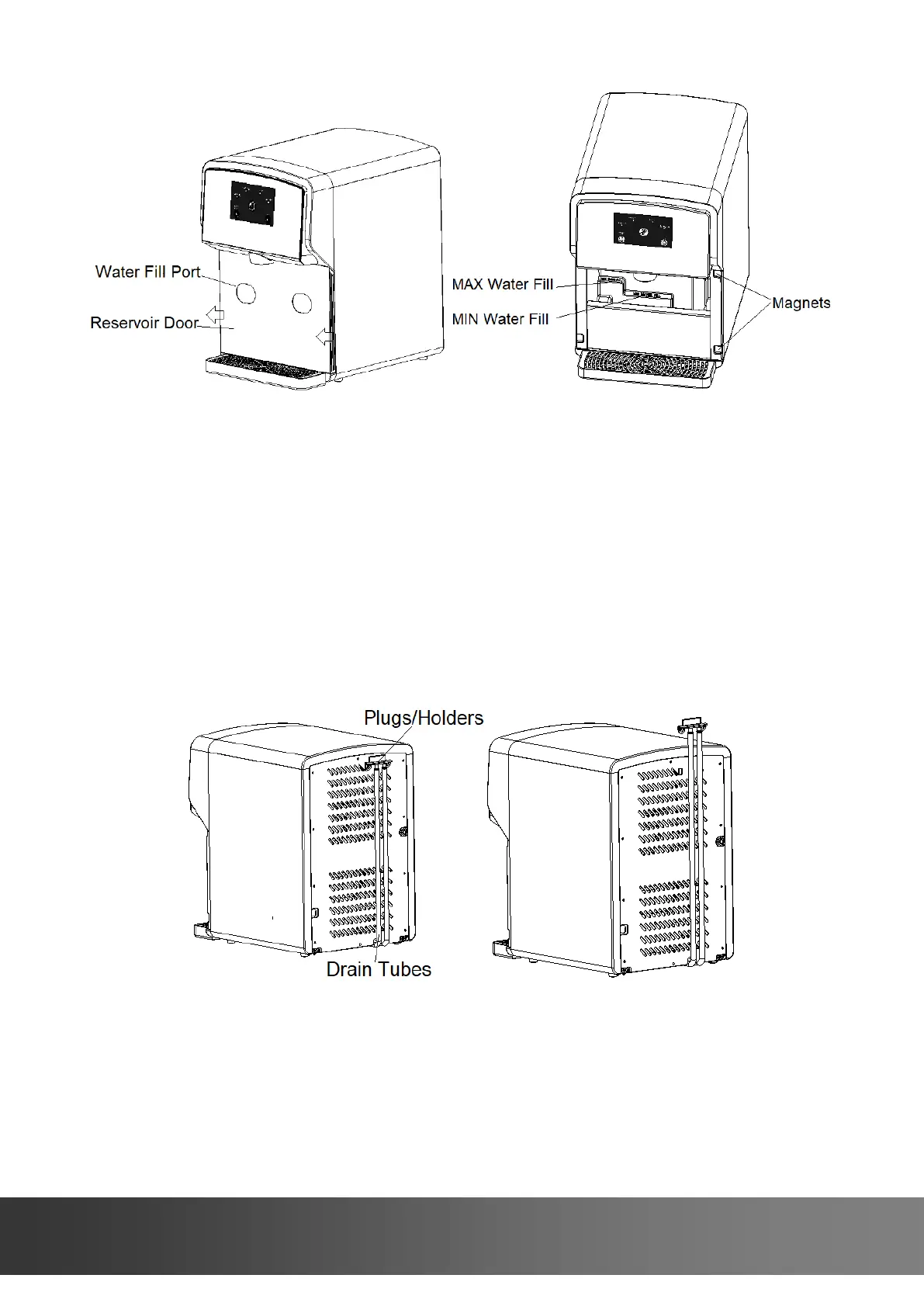
Pull the drain tubes with plugs/holders out of the unit back and lower
them to a bucket or sink.
Remove the plugs/holders to release water.
Replace the plugs/holders and put the tubes with plugs/holders back to
the unit.
3. Making ice for the first time use
Add potable water to the MAX WATER FILL.
Plug the unit into power.
Press Make Nuggets button once to start making ice. The Making Ice LED
will flash slowly to indicate the unit is currently making ice.



 To Next Page