ALPHA
User Manual
17
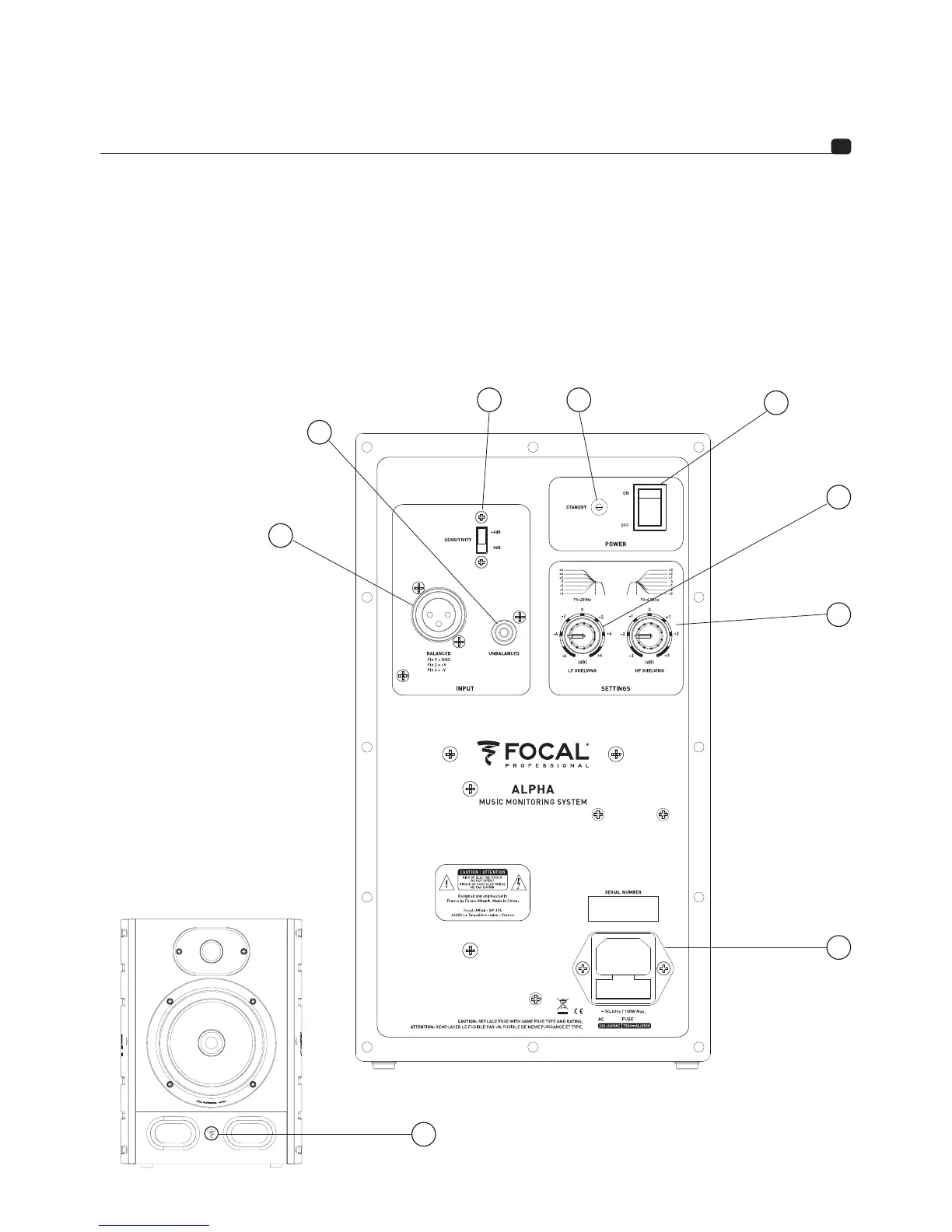
8. IEC INLET
Connect the power cord provided to the IEC inlet.
9. FRONT PANEL LED
The front panel LED is off when the power switch is off. The front panel LED is on when powering on the monitor.
As soon as the monitor is detecting an audio signal, the standby is deactivated and the front panel LED remains
on. After about 30 minutes without audio signal, the monitor is automatically muted to avoid unecessary power
consumption. When muted, the front panel LED is off and the power consumption is <0,5W. To unmute the monitor,
send audio signal to the loudspeaker. The loudspeaker will require few seconds to unmute.
1
2
3
4
5
6
7
8
9





 To Next Page