12
Press and hold the reset button for 5 sec-
onds to reset the device. After a successful
reset, the device’s light should ash quickly.
Then the device will be ready for pairing.
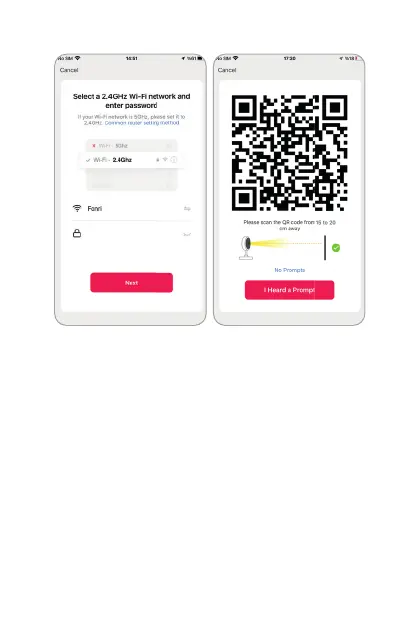
Select your Wi-Fi network and enter its
password.
Click ‘Next’. Put the phone at front of door-
bell camera at a distance around 15-20 cm
and let the doorbell scan the QR code gen-
erated. When you hear that the connection
has been made, press “I have heard the
beep” to proceed.
3.
4.
5.


 To Next Page