
 Need help?
Do you have a question about the FoodMarble AIRE and is the answer not in the manual?
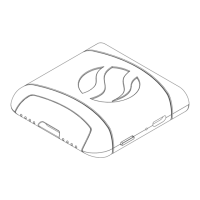
AIRE is the world's first personal, portable digestive tracker inspired by breath analysis.
Download the free AIRE app from the Apple App Store or Google Play.
Turn on AIRE using the power button. Warmup takes up to two minutes; lights indicate readiness.
The app attempts to pair with AIRE during warmup. Ensure phone Bluetooth is on.
The app prompts test readiness. Hold the device with the logo up and hold your breath.
Seal lips on mouthpiece, exhale steadily for five seconds. Avoid hitting inner roof.
 General
| Category | Medical Equipment |
|---|---|
| Connectivity | Bluetooth |
| Charging | USB-C |
| Weight | 50g |
| App Compatibility | iOS and Android |
| Mobile App | FoodMarble app |
| Measures | Hydrogen and Methane levels in breath |
| Charging Time | 2 hours |
| Sensors | Hydrogen sensor |
| Type | Portable Breath Analyzer |
| Function | Digestive health tracking |

 To Next Page