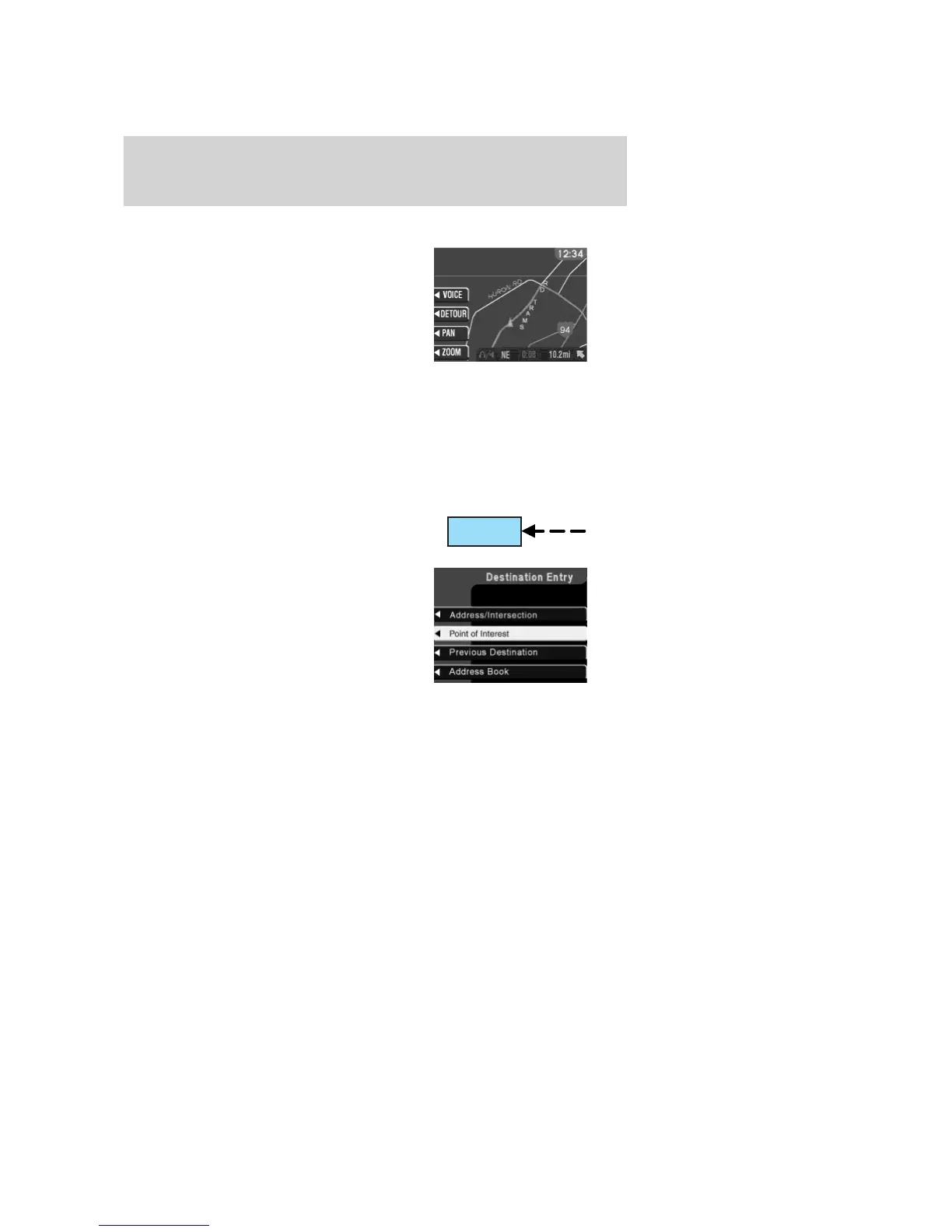
Map display information
When using the navigation system,
the map display screen will appear
to guide you to your location. On
the screen, you are able to make the
following choices:
• VOICE — Press to repeat the last
voice prompt.
• DETOUR — Press to select a
detour from your current navigation route.
• PAN — Press to move the current view of the map.
• ZOOM — Press to adjust the area covered on the map display. The
map zoom levels are:
1
⁄
8
,
1
⁄
2
, 1, 4, and 16 miles.
Selecting a destination
Press NAV to access the destination
entry menu.
From this menu, you may select
from the following options:
• Address/Intersection – Use to
select a destination based on a
known street address or
intersection. Not available
when the vehicle is moving.
• Point of Interest – Use to select
a destination that is a point of interest location (i.e., airport,
restaurant, hospital). Not available when the vehicle is moving.
• Previous Destination – Use to select a destination from the last 50
destinations entered.
• Address Book – Use to select a destination from previously stored
entries.
NAV
2005 Expedition (exd)
Owners Guide (post-2002-fmt)
USA (fus)
Entertainment Systems
79



 To Next Page
 Loading...