In TEXT MODE, sometimes the display requires additional text to be
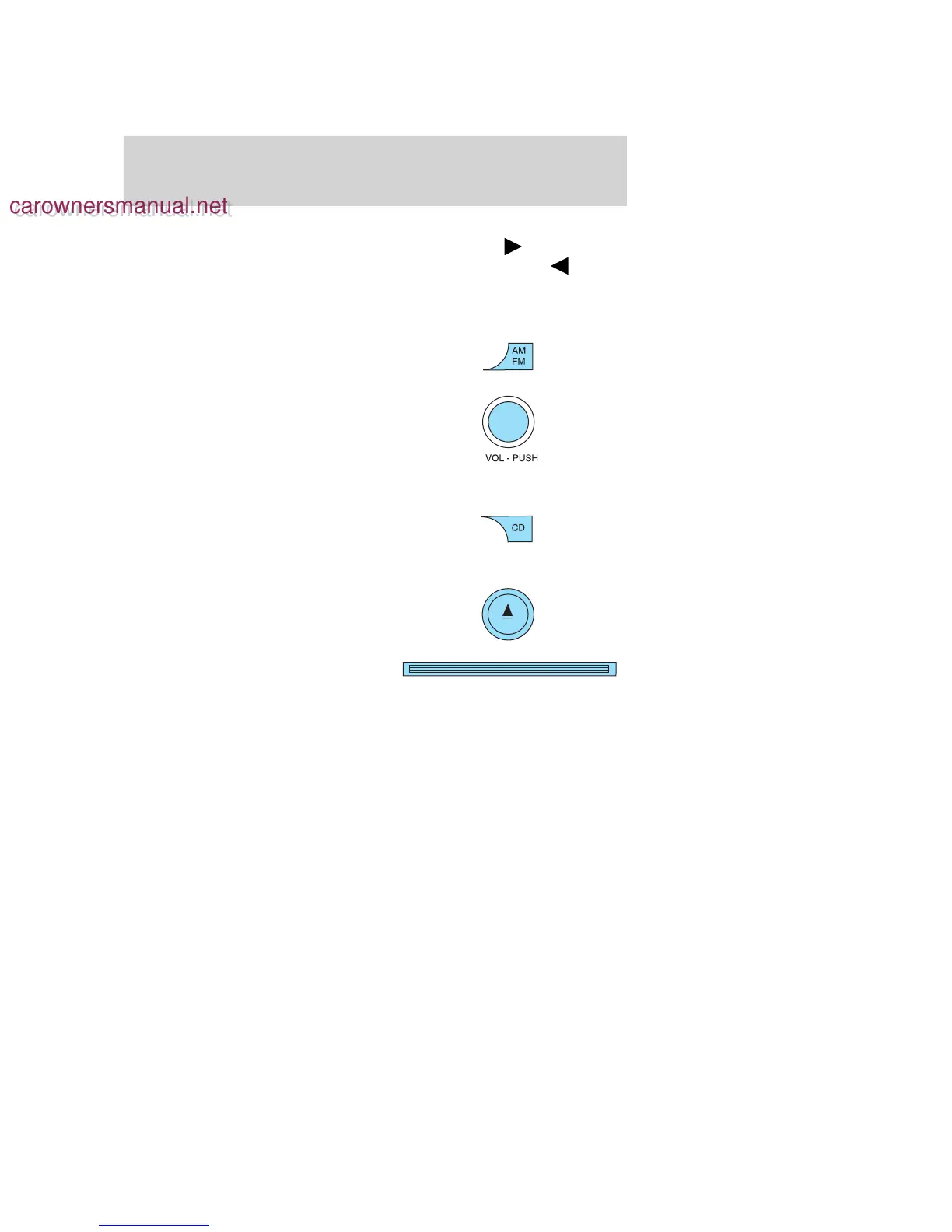
displayed. When the “>” indicator is active, press SEEK
to view the
additional display text. When the “>” indicator is active, press SEEK
to view the previous display text.
In Satellite Radio mode (if equipped), press and hold to hear a brief
sampling of the next channels. Press again to stop.
14. AM/FM: Press to select
AM/FM1/FM2 frequency band.
15. ON/OFF/Volume: Press to turn
ON/OFF. Turn to increase/decrease
volume.
If the volume is set above a certain
level and the ignition is turned off,
the volume will come back on at a
“nominal” listening level when the ignition switch is turned back on.
16. CD: Press to enter CD mode. If
a CD is already loaded into the
system, CD play will begin where it
ended last. If no CD is loaded, NO DISC will appear in the display.
17. CD eject: Press to eject a CD.
18. CD slot: Insert a CD label side
up.
2006 Explorer (exp)
Owners Guide (post-2002-fmt)
USA (fus)
Entertainment Systems
25
carownersmanual.net
carownersmanual.net






 To Next Page