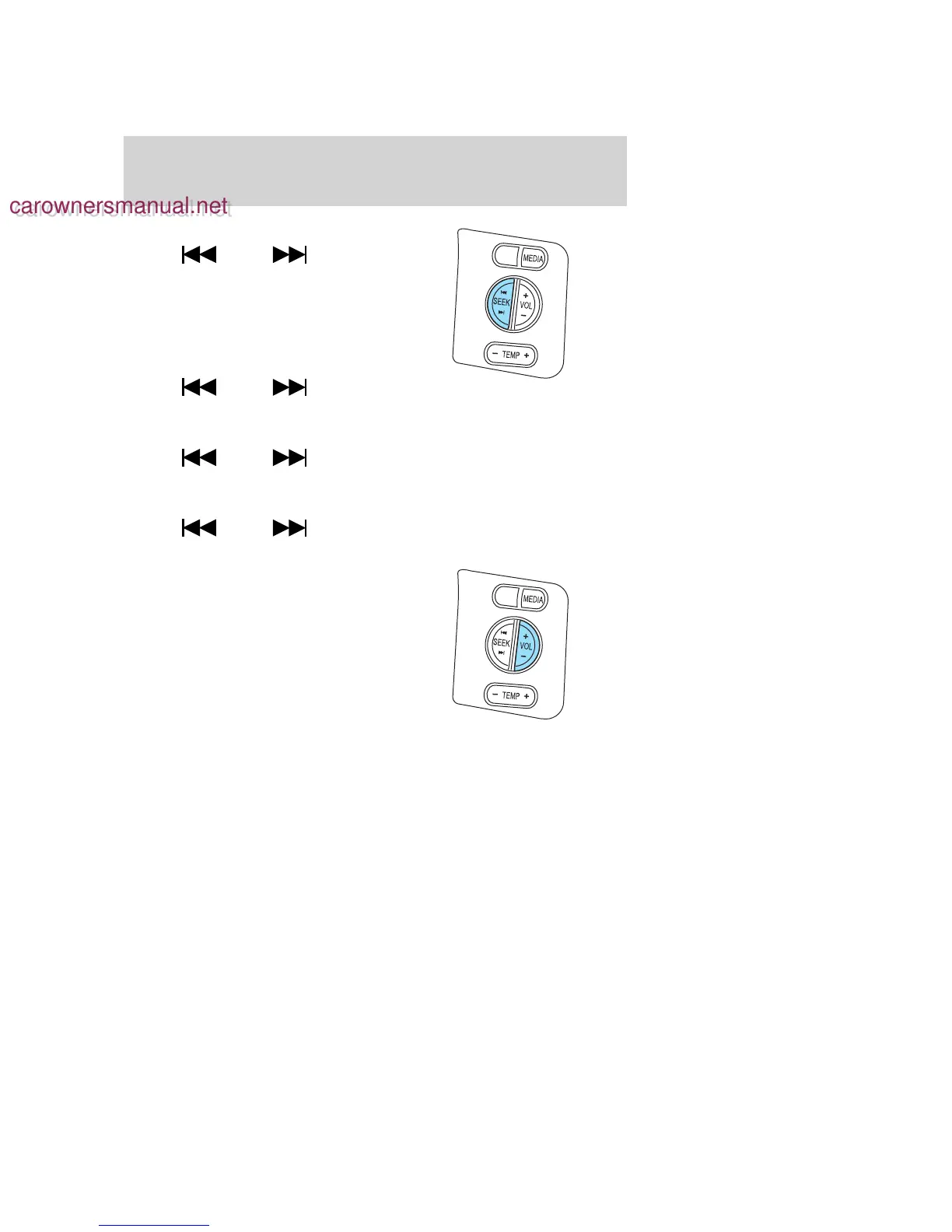
In AM, FM1, or FM2 mode:
• Press
SEEK to
select preset stations within the
selected radio band or press and
hold to select the next/previous
radio frequency.
In Satellite radio mode (if
equipped):
• Press
SEEK to
advance through preset channels or subscribed channels.
In Tape mode:
• Press
SEEK to select the next selection on the tape or
press and hold to forward or reverse the tape.
In CD mode:
• Press
SEEK to select the next selection on the CD or
press and hold to forward or reverse the CD.
In any mode:
• Press VOL + or − to adjust
volume.
2006 Explorer (exp)
Owners Guide (post-2002-fmt)
USA (fus)
Driver Controls
70
carownersmanual.net
carownersmanual.net









 To Next Page