The system applies the brakes to slow the
vehicle to maintain a safe distance from
the vehicle in front. The system applies
only limited maximum braking. Press the
brake pedal to override the system.
If the system predicts that its maximum
braking level is insufficient, an audible
warning sounds while the system
continues to brake. A red warning bar
appears on the windshield heads-up
display. Take immediate action to slow or
stop the vehicle.
The system may provide slight temporary
acceleration when you use your driver side
directional indicator while following a lead
vehicle, to aid in passing the vehicle.
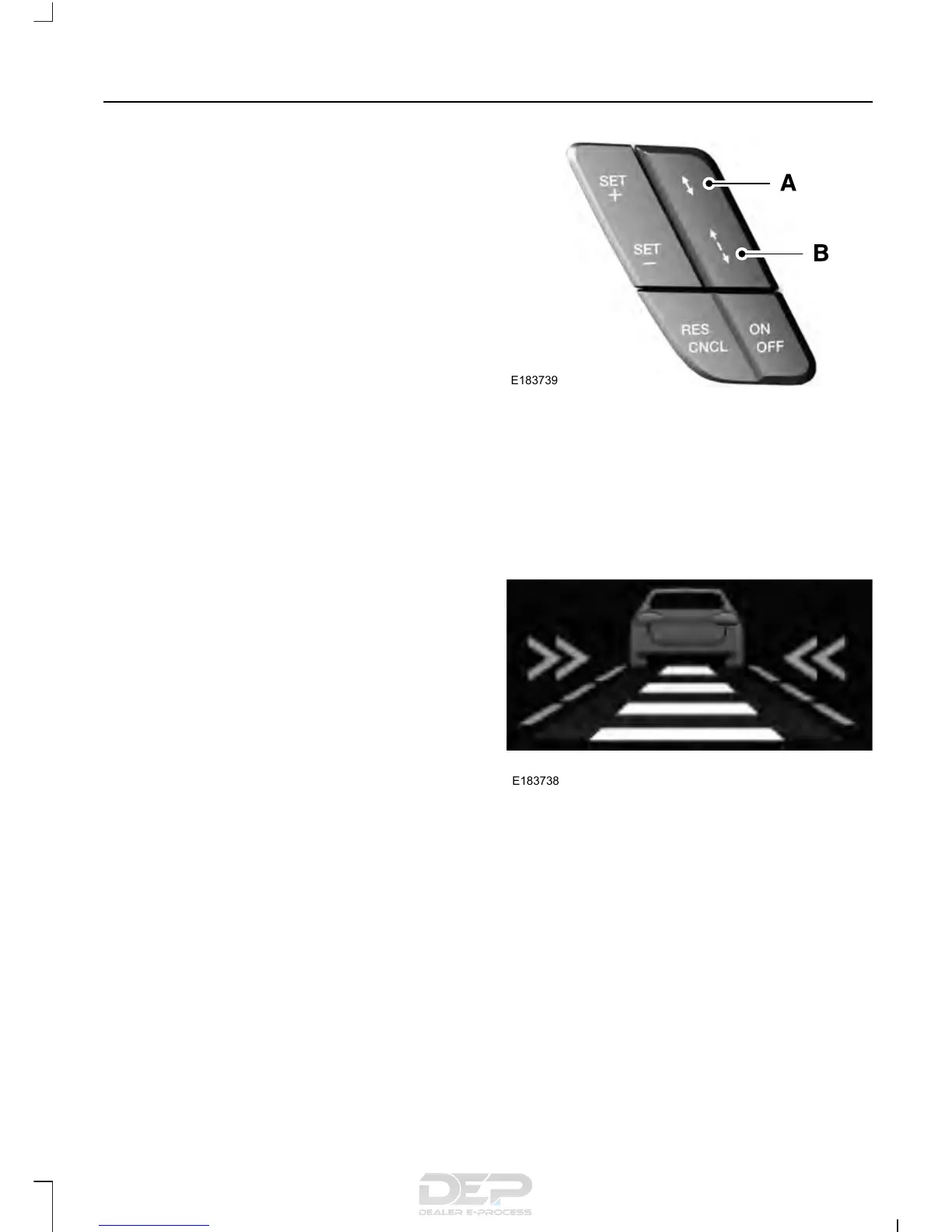
Setting the Gap Distance
Note: It is your responsibility to select a gap
appropriate to the driving conditions.
Gap decrease.A
Gap increase.B
Press the gap control to decrease or
increase the distance between your vehicle
and the vehicle in front of you.
Bars in the graphic show the selected gap
distance. You can select between four gap
settings.
223
F-150 (TFC) Canada/United States of America, enUSA, Edition date: 08/2015, First Printing
Cruise Control (If Equipped)



 To Next Page
 Loading...











