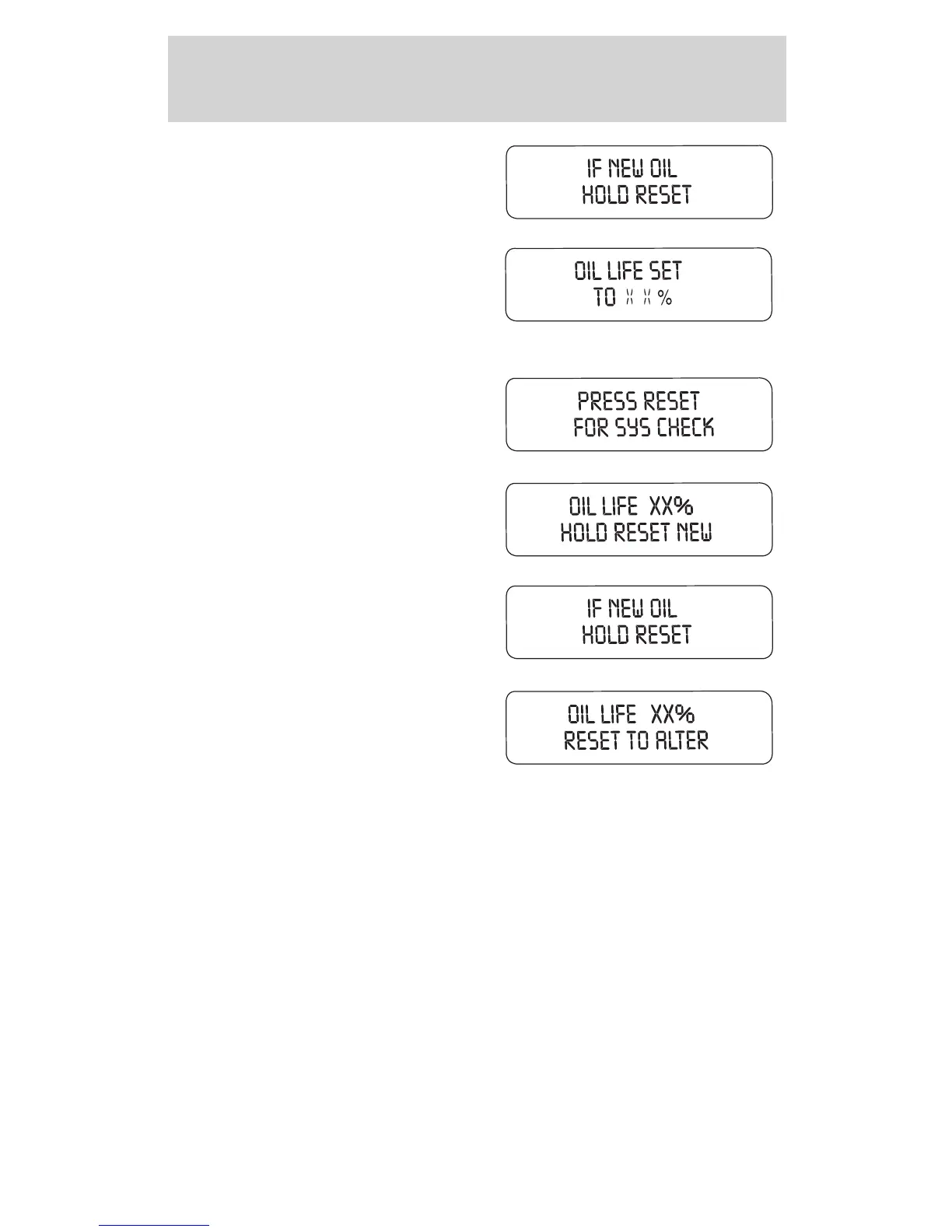
3. Press and hold the RESET
control for 2 seconds to display “IF
NEW OIL HOLD RESET”.
4. Press and hold the RESET
control to display OIL LIFE SET TO
100%. Your oil life is now reset.
To reset the oil monitoring system to your personalized oil life %:
1. Press the SETUP control to
access the System Check function.
2. Press and release the RESET
control to display “OIL LIFE XX%
HOLD RESET NEW”.
3. Press and hold the RESET
control for 2 seconds to display “IF
NEW OIL HOLD RESET”.
4. Release the RESET control
momentarily, then press RESET and
SETUP controls at the same time to
activate a service mode which will
display OIL LIFE XX% RESET TO
ALTER.
5. Press RESET until you find your personalized OIL LIFE XX%.
6. With your personalized OIL LIFE XX% displayed, press SETUP to
continue the system check.
DATA ERR. These messages indicate improper operation of the vehicle
network communication between electronic modules.
• Fuel computer
• Oil life
• Charging system
2004 Explorer (exp)
Owners Guide (post-2002-fmt)
USA English (fus)
Driver Controls
76















 To Next Page