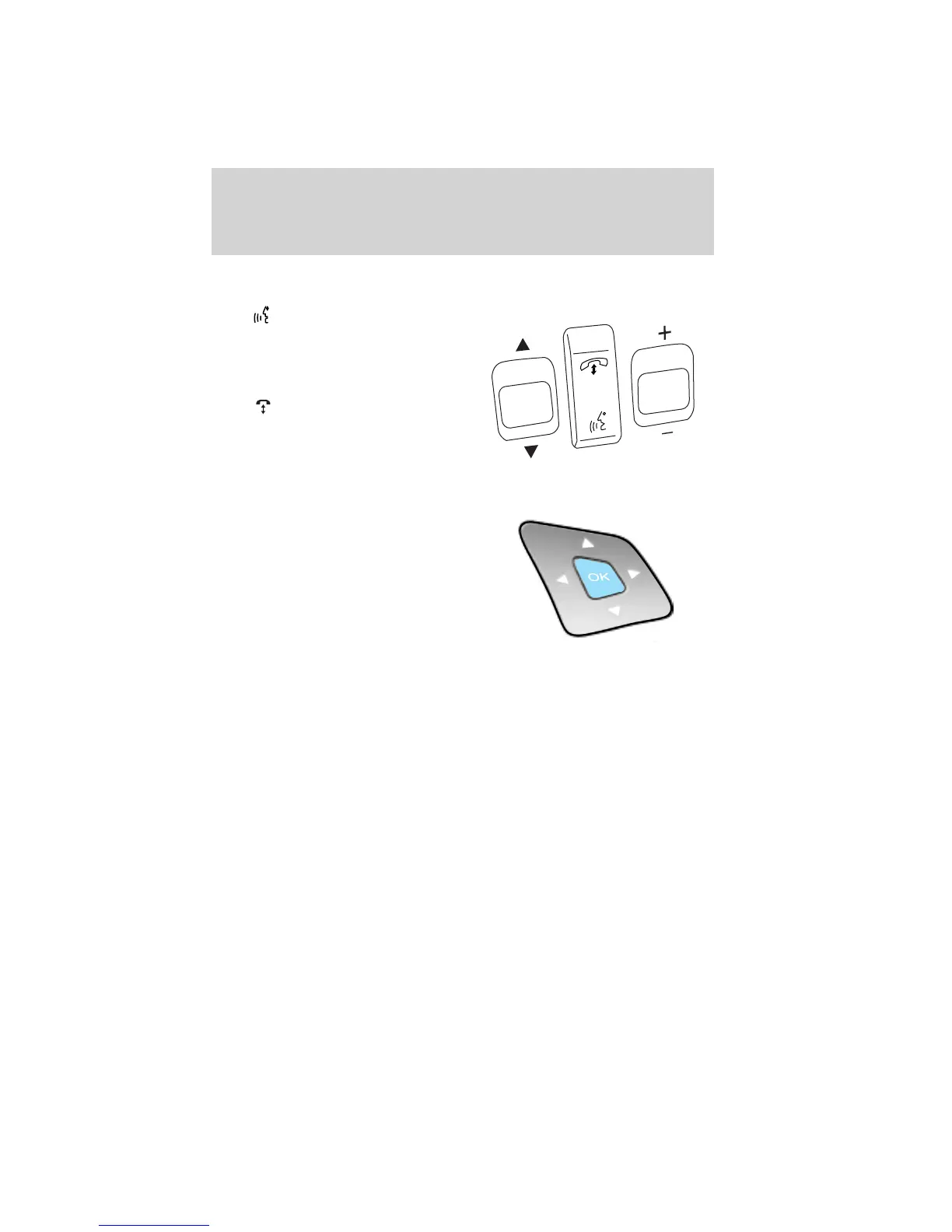
Navigation/SYNC威 system hands-free control features (if
equipped)
Press
to active the voice
recognition feature. Refer to Voice
recognition feature in the MyFord
Touch™ / MyLincoln Touch™
supplement.
Press
to access phone features.
Refer to Phone features in the
MyFord Touch™ / MyLincoln
Touch™ supplement.
Cluster display control features
If equipped with the MyFord™
system, this control functions the
same as the center control on the
faceplate. Refer to MyFord system
in the Entertainment Systems
chapter.
If equipped with the MyFord™
Touch system, use this control to
adjust the right side of the cluster display. Navigate through the screen
and press OK to select. The following features are available:
• Entertainment
• Change audio source
• Limited play list
• Navigation (if equipped)
• Redundant center stack display
• Routed map
• Phone
• Redundant center stack display
• Favorite contacts
• Climate
• On
• Fan speed
• Temperature
S
E
E
K
VO
L
Driver Controls
109
2012 Explorer (exp)
Owners Guide, 1st Printing
USA (fus)













 To Next Page