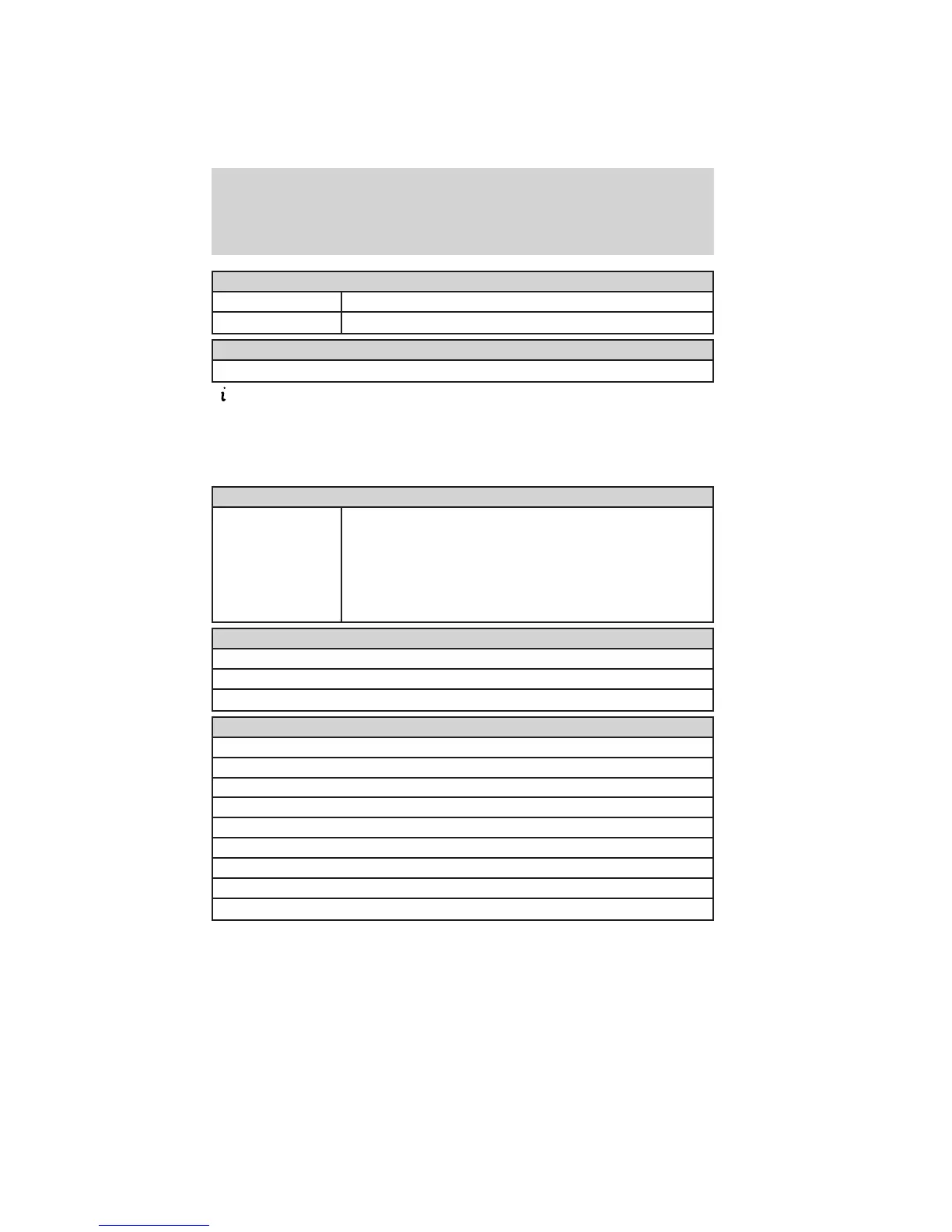
Units
Distance Miles & Gal / Km & Liters
Temperature Fahrenheit (°F) / Celsius (°C)
Restore defaults
Hold OK to Restore Settings to Factory Defaults
Information
In this mode, you can view different vehicle system information and
perform a system check.
When Press OK for info is displayed, pressing OK will give you
information on the currently selected/displayed options.
Warnings
XX Warnings Displays the number of warnings that need
immediate attention in amber. You can only view the
warnings form the System Check menu. View them
immediately by pressing OK or right arrow and then
enter the system check. Use the up/down arrows to
scroll through the warnings.
MyKey
Admin Keys (Number of admin keys)
MyKeys (Number of MyKeys programmed)
MyKey Miles (km) (Distance traveled using a programmed MyKey)
System Check*
Warnings display first (only displays if warnings are present)
Oil Life
Wash Fluid
Doors
Liftgate
Blind spot
Cross Traffic
Brakes
Fuel (distance to empty)
*Some items will only display during a system check if a problem has
been detected.
Instrument Cluster
35
2012 Explorer (exp)
Owners Guide, 1st Printing
USA (fus)











 To Next Page