THE
NEW
DEFINITION
OF QUALITY
INSTRUMENT
PANEL
Welcome to the new definition of quality – bold styling and
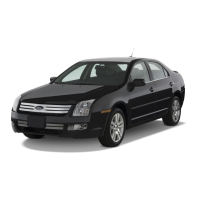
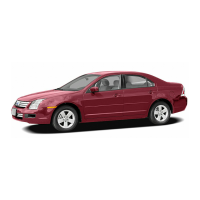
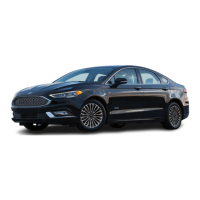
great driving dynamics combined. Ford Fusion’s sleek and
athletic
lines assure heads will turn; just as the dynamic
powertrain assures a powerful yet effortless drive. From the
sensuous, modern interior to the available V6 engine that lies
beneath the hood, every component has been designed with
you in mind. Sporty, comfortable and efficient, the Ford Fusion
has it all. This Quick Reference Guide will help you quickly get
to know the features of your new Ford Fusion. For more
detailed information, refer to your Owner’s Guide. Use extreme
caution when using any device or feature that may take your
attention off the road. Your primary responsibility is the safe
operation of the vehicle. Only use non-essential features and
devices when it is safe to do so.
1. POWER OUTSIDE MIRRORS
Rotate the control clockwise to adjust the right mirror. Rotate the control counterclockwise to
adjust the left mirror. Move the control in the direction you wish to tilt the mirror. Return the
control to the center position to lock the mirrors in place.
2. HEADLAMPS, FOG LAMPS (if equipped)
& PANEL DIMMER CONTROL
Turn the control one position to the right to turn on the parking lamps,
instrument panel lamps, license plate lamps and tail lamps. Turn the control
to the position to turn on the headlamps. Turn the control to the
position to activate the autolamp feature (if equipped), which automatically turns
the exterior lamps on and off, based on available daylight. The system
also keeps the lights on for a short time after the ignition is turned off. Pull the control out to
activate the fog lamps (if equipped). The fog lamp indicator light will illuminate. The fog lamps will
not operate
when the control is turned off or when the high beams are on. Use the panel dimmer
control to
adjust the level of brightness on the instrument panel during parking lamp and headlamp
operation.
Move the control to the full upright position, past the detent, to turn on the interior lamps.
3. STEERING WHEEL CONTROLS (if equipped)
Your steering wheel controls allow you to set and adjust vehicle speed, as
well as make adjustments in your audio system. The appearance of your
vehicle’s speed control switches may vary according to your option package.
To set the speed control, press and release ON. Accelerate to the desired
speed. Press and release SET (+). The speed control indicator light will
illuminate in the cluster. Remove your foot from the accelerator. Once set,
press and release (-) SET (+) to decrease or increase the speed in small
increments. Or, press and hold until you reach the desired speed. To
disengage speed control but not erase the previous set speed, tap the brake
pedal or clutch pedal (if equipped). Press RESUME to turn back on at previous
speed. To disengage and erase the speed, press OFF.
Press – VOL + to decrease/increase audio volume. Press MEDIA to select
AM, FM1, FM2, CD or LINE IN (Auxiliary Input Jack), SAT1, SAT2, SAT3 (satellite radio mode,
if equipped) or SYNC (if equipped). Press to access the previous/next preset station
or CD track.
4. TILT/TELESCOPIC STEERING WHEEL LEVER
Push the lever down to unlock the steering column. Move the steering wheel
up or down and in or out to find the desired position. While holding the
steering wheel in place, pull the lever up to lock the steering column.
5. MESSAGE CENTER (if equipped)
The message center displays important vehicle information through a constant
monitoring of vehicle systems. The message center displays features such as
trip odometer, compass (if equipped), distance to empty, average fuel economy,
average speed and a language selector. The message center also provides vehicle
system checks and will notify you of potential vehicle problems with a display of
system warnings. For further information, please refer to your Owner’s Guide.
INFO: Press to scroll through the following displays: Trip Odometer A or B, Distance to Empty,
Average Fuel Economy, Average Speed, and Trip elapsed time 1 or 2.
RESET: Press and hold to select and reset functions shown in the Info (Information) and Setup Menu.
SETUP: Press to scroll through: System Check, Units (English/Metric), Language, (English, Spanish,
or French), and Reverse Sensing System (Park Assist) (if equipped).
6.
PASSENGER AIRBAG OFF
Your vehicle has a safety feature that automatically knows when to turn off the passenger airbag
based on the occupant’s size and weight. When the system senses no weight or light to medium
weight (such as a heavy binder or suitcase), in the front passenger seat, the PASS AIRBAG OFF
indicator lamp (located above the radio) will illuminate, signifying the passenger airbag is turned off.
7.
GLOVE BOX CD STORAGE
Your vehicle is equipped with a special area for your CD storage. It is located inside the glove box,
to the right of the main bin.
AUXILIARY POWER POINTS
The auxiliary power points are located on the instrument panel and in the center
console utility compartment.
Note: Do not use the power point over the capacity
of 12VDC/180W.
USB PORT (if equipped)
Your vehicle may be equipped with a USB port inside your center console. This
feature allowsyou to plug in media playing devices, memory sticks, and also to charge
devices. For more detailed information, please refer to the SYNC supplement.
AUXILIARY INPUT JACK
Your vehicle is equipped with an Auxiliary Input Jack located inside the
console bin. This allows you to plug and play auxiliary audio devices. Press the
AUX button until LINE IN appears. When LINE IN appears in the display, plug in your
auxiliary audio device. For more detailed information, please refer to your Owner’s Guide.
AMBIENT LIGHTING (if equipped)
Ambient Lighting provides colored background lighting to the 4 footwells, 2 cupholders and the storage
bin. An ambient lighting control switch is provided on the center console. Pressing this switch cycles
through and selects one of seven possible colors or may also be used to turn ambient lighting off.
Ambient Lighting turns on whenever the ignition switch is turned to the ON or Accessory position.
Ambient Lighting stays on after the ignition is turned off, turning off after a door is opened or 10 minutes
has elapsed.
A
B
1. Service Engine Soon Light
The Service Engine Soon
light illuminates briefly when
the ignition is turned on. If it
remains on or is blinking
after the engine is started,
the On Board Diagnostics
System (OBD-II) has detected
a malfunction. Drive in
a moderate fashion and
have your vehicle serviced
immediately by an
authorized dealer.
2. Anti-lock Brake System
(ABS) Warning Light
(if equipped) The ABS light
illuminates briefly when the
ignition is turned on. If the
ABS light remains on or
flashes after the engine is
started, have the system
serviced immediately by your
authorized dealer. Normal
braking (without ABS) will still
be functional unless the
brake system warning light is
also illuminated. Note: It is
normal to feel a pedal
pulsation or hear a slight
noise when the ABS system
is activated.
3. Airbag Readiness Light
The airbag readiness light
illuminates briefly when the
ignition is turned on. If this
light remains on or continues
to flash after the engine is
started, the supplemental
restraint system has
detected a malfunction.
If a malfunction is detected,
a chime will also sound.
Have the system serviced
immediately by an
authorized dealer.
4. Brake System Warning
Light The brake system
warning light illuminates
briefly when the ignition is
turned on. This light will
remain on when the parking
brake is applied and the
ignition is on. If this light
remains on after releasing
the parking brake, this
indicates a low brake fluid
level or a brake system
malfunction. Have the brake
system inspected immediately
by an authorized dealer.
5. Check Fuel Cap Light
This light illuminates when
the fuel cap may not be
properly installed. If you
continue to drive with this
light illuminated, the
Service Engine Soon light
may come on.
6.
Throttle Control /
Transmission
Light
This light
illuminates when a powertrain
or AWD (if equipped)
malfunction has been
detected. Contact an
authorized dealer as soon
as possible.
7.
Traction Control
™
Light
(if equipped) This light
illuminates when the
Traction Control
™
is active.
If the light remains on,
have the system serviced
immediately by an
authorized dealer.
2
1
3
4 3 765
7
1
2
3
4
5
6
B
A


 To Previous Page
 Loading...