32 Customize your Wrist PDA
English
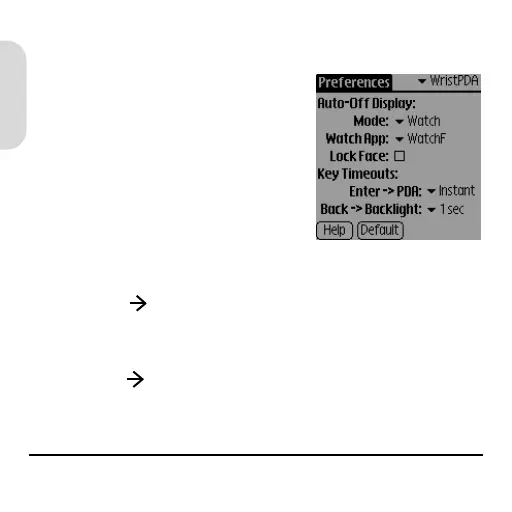
Wrist PDA. Change any of these watch settings:
• Mode. Choose what
appears on the screen
when your watch is in sleep
mode: Watch = time,
Current = last application
screen, and Off = blank.
• Lock Face. Prevent the
watch face from changing
accidentally when your watch is in sleep mode.
• Enter PDA. Choose how long you press
Rocker Enter to return to PDA mode when your
watch is in sleep mode.
• Back Backlight. Choose how long you press
Back to turn on the backlight.
WristPDA_GSG.book Page 32 Friday, September 3, 2004 1:56 PM


 To Next Page
 Loading...