FAQ and troubleshooting 37
English
• Recharge your Wrist PDA. If your batteries are too
low, the screen turns off to conserve power.
• If the display does not turn on after charging is
complete, perform a soft reset (see next section).
How do I perform a soft reset?
If your watch stops responding
to the stylus or control buttons,
you may need to perform a
soft reset. This does not affect
any data stored on the watch.
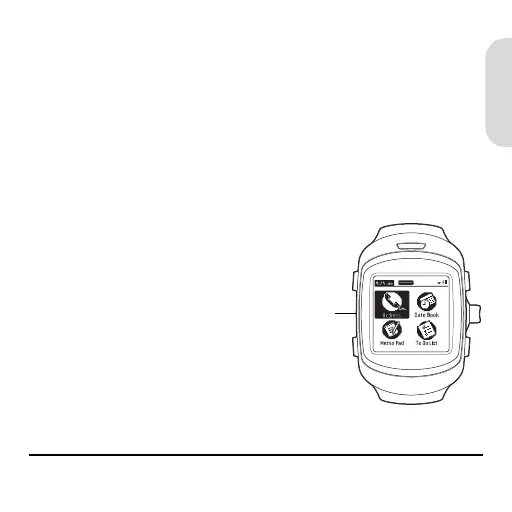
To perform a soft reset, use
the stylus to gently press the
Reset button on the side of
the watch.
Reset
button
WristPDA_GSG.book Page 37 Friday, September 3, 2004 1:56 PM


 To Next Page
 Loading...