EasyManua.ls Logo

Fostex B-16 - Page 38

Fostex B-16
118 pages
Print Icon
To Next Page IconTo Next Page
To Previous Page IconTo Previous Page
Loading...
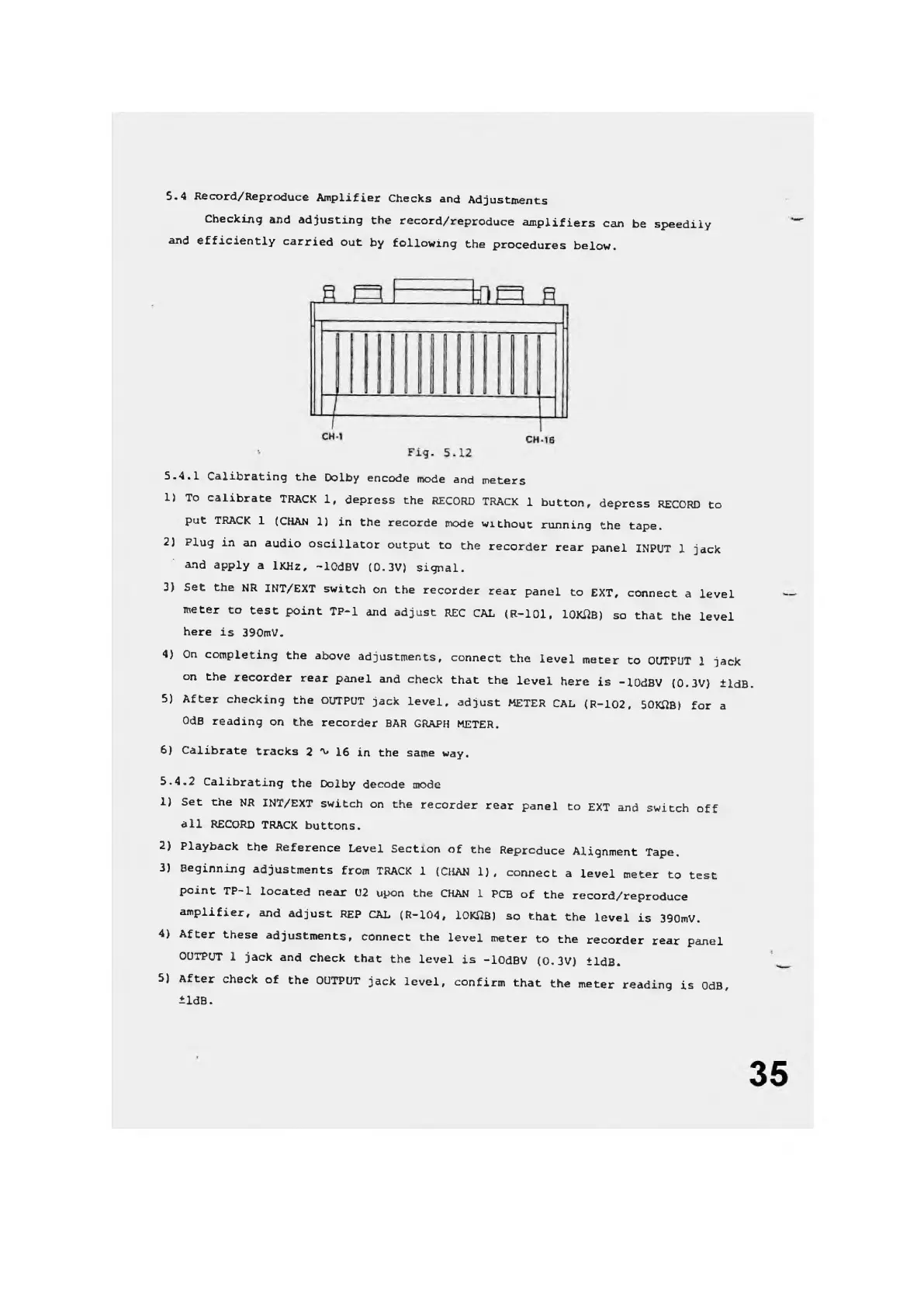
5.4
Record/Reproduce
Amplifier
Checks
and
Adjustments
Checking
and
adjusting
the
record/reproduce
amplifiers
can
be
speedily
and
efficiently
carried
out
by
following
the
procedures
below.
5-4.1
Calibrating
the
Dolby
encode
mode
and
meters
1)
To
calibrate
TRACK
1,
depress
the
RECORD
TRACK
1
button,
depress
RECORD
to
put
TRACK
1
(CHAN
1)
in
the
recorde
mode
without
running
the
tape.
2)
Plug
in
an
audio
oscillator
output
to
the
recorder
rear
panel
INPUT
1
jack
'
and
apply
a
IKHz,
-lOdBV
(0.3V)
signal.
3)
Set
the
NR
INT/EXT
switch
on
the
recorder
rear
panel
to
EXT,
connect
a
level
meter
to
test
point
TP-1
and
adjust
REC
CAL
(R-101,
lOKilB)
so
that
the
level
here
is
390mV.
4)
On
completing
the
above
adjustments,
connect
the
level
meter
to
OUTPUT
1
jack
on
the
recorder
rear
panel
and
check
that
the
level
here
is
-lOdBV
(0.3V)
±ldB.
5)
After
checking
the
OUTPUT
jack
level,
adjust
METER
CAL
(R-102,
50KQB)
for
a
OdB
reading
on
the
recorder
BAR
GRAPH
METER.
6)
Calibrate
tracks
2
a,
16
in
the
same
way.
5.4.2
Calibrating
the
Dolby
decode
mode
1)
Set
the
NR
INT/EXT
switch
on
the
recorder
rear
panel
to
EXT
and
switch
off
all
RECORD
TRACK
buttons.
2)
Playback
the
Reference
Level
Section
of
the
Reproduce
Alignment
Tape,
3)
Beginning
adjustments
from
TRACK
1
(CHAN
1),
connect
a
level
meter
to
test
point
TP-1
located
near
U2
upon
the
CHAN
1
PCB
of
the
record/reproduce
amplifier,
and
adjust
REP
CAL
(R-104,
lOKilB)
so
that
the
level
is
390mV.
4)
After
these
adjustments,
connect
the
level
meter
to
the
recorder
rear
panel
OUTPUT
1
jack
and
check
that
the
level
is
-lOdBV
(0.3V)
tldB.
5)
After
check
of
the
OUTPUT
jack
level,
confirm
that
the
meter
reading
is
OdB,
±ldB.

Other manuals for Fostex B-16