EasyManua.ls Logo

Fostex G16 - Page 48

Fostex G16
124 pages
Print Icon
To Next Page IconTo Next Page
To Previous Page IconTo Previous Page
Loading...
4.3.7
Bia
s'Current
Adjustment
Put
all
16
tracks
in
the
record
mode.
Hook
the
oscilloscope
probe
hot
side
to
TP-1
,
and
the
ground
clip
to
the
GND
pin.
Then,
set
the
BIAS
LVL
pot,
C161,
at
approximately
300mVp-p
or
lOOmV
r.m.s.
over
the
peak
point.
Note:
As
a
non-stopper
type
Trimmer
is
used
for
BIAS
LVL
adjustment,
it
might
give
you
a
confusion
if
it
is
under
the
peak
BIAS
point
or
over
the
peak
BIAS
point.
Therefore,
the
adjustment
position
of
the
Trimmer
should
be
set
as
shown
in
the
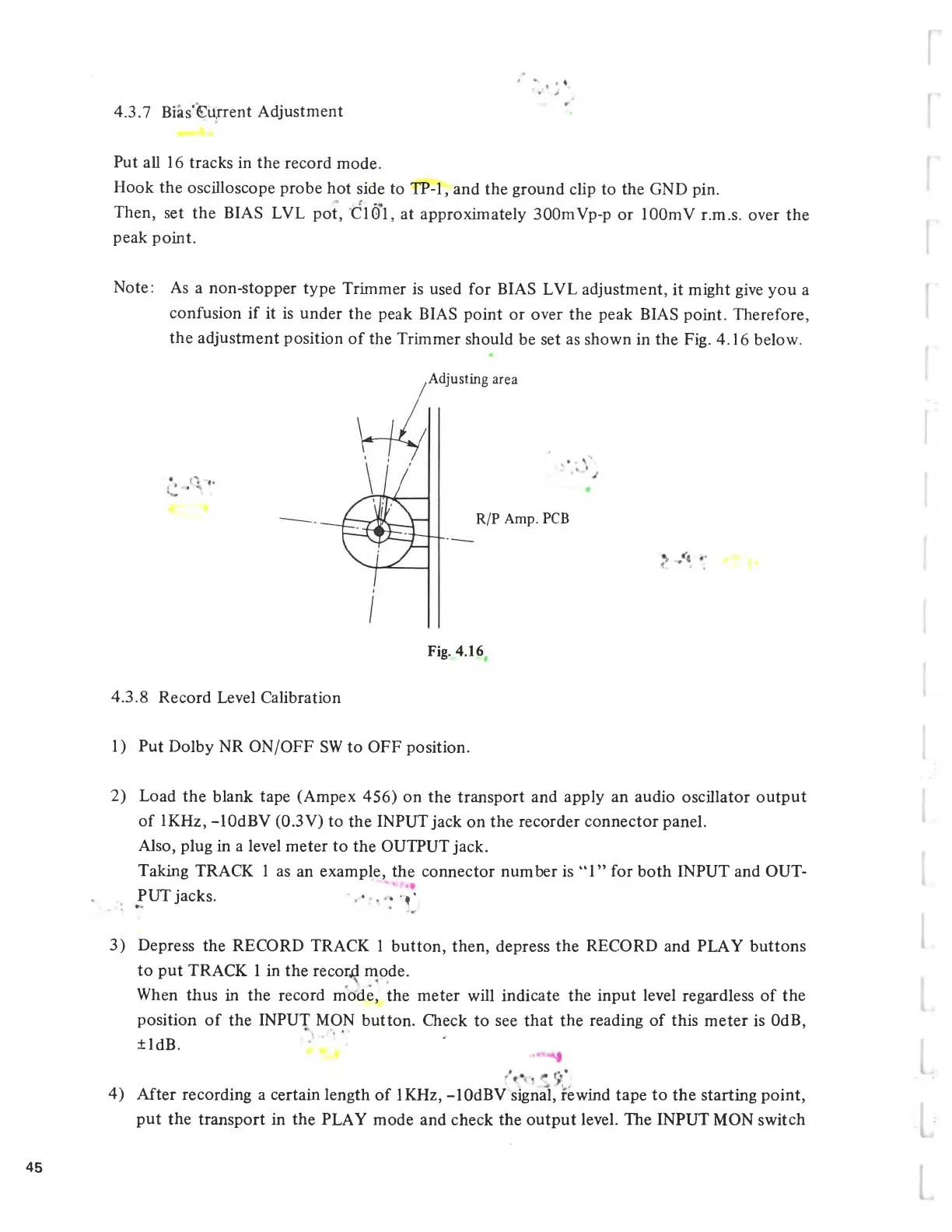
Fig.
4.16
below.
Adjusting
area
R/P
Amp.
PCB
Fig.
4.16
4.3.8
Record
Level
Calibration
1)
Put
Dolby
NR
ON/OFF
SW
to
OFF
position.
2)
Load
the
blank
tape
(Ampex
456)
on
the
transport
and
apply
an
audio
oscillator
output
of
IKHz,
-lOdBV
(0.3V)
to
the
INPUT
jack
on
the
recorder
connector
panel.
Also,
plug
in
a
level
meter
to
the
OUTPUT
jack.
Taking
TRACK
1
as
an
example,
the
connector
number
is
1
for
both
INPUT
and
OUT
PUT
jacks.
»y
3)
Depress
the
RECORD
TRACK
1
button,
then,
depress
the
RECORD
and
PLAY
buttons
to
put
TRACK
1
in
the
recorji
mode.
When
thus
in
the
record
mode,
the
meter
will
indicate
the
input
level
regardless
of
the
position
of
the
INPUT
MON
button.
Check
to
see
that
the
reading
of
this
meter
is
OdB,
±ldB.
4)
After
recording
a
certain
length
of
IKHz,
-lOdBV
signal,
rewind
tape
to
the
starting
point,
put
the
transport
in
the
PLAY
mode
and
check
the
output
level.
The
INPUT
MON
switch
45

Related product manuals