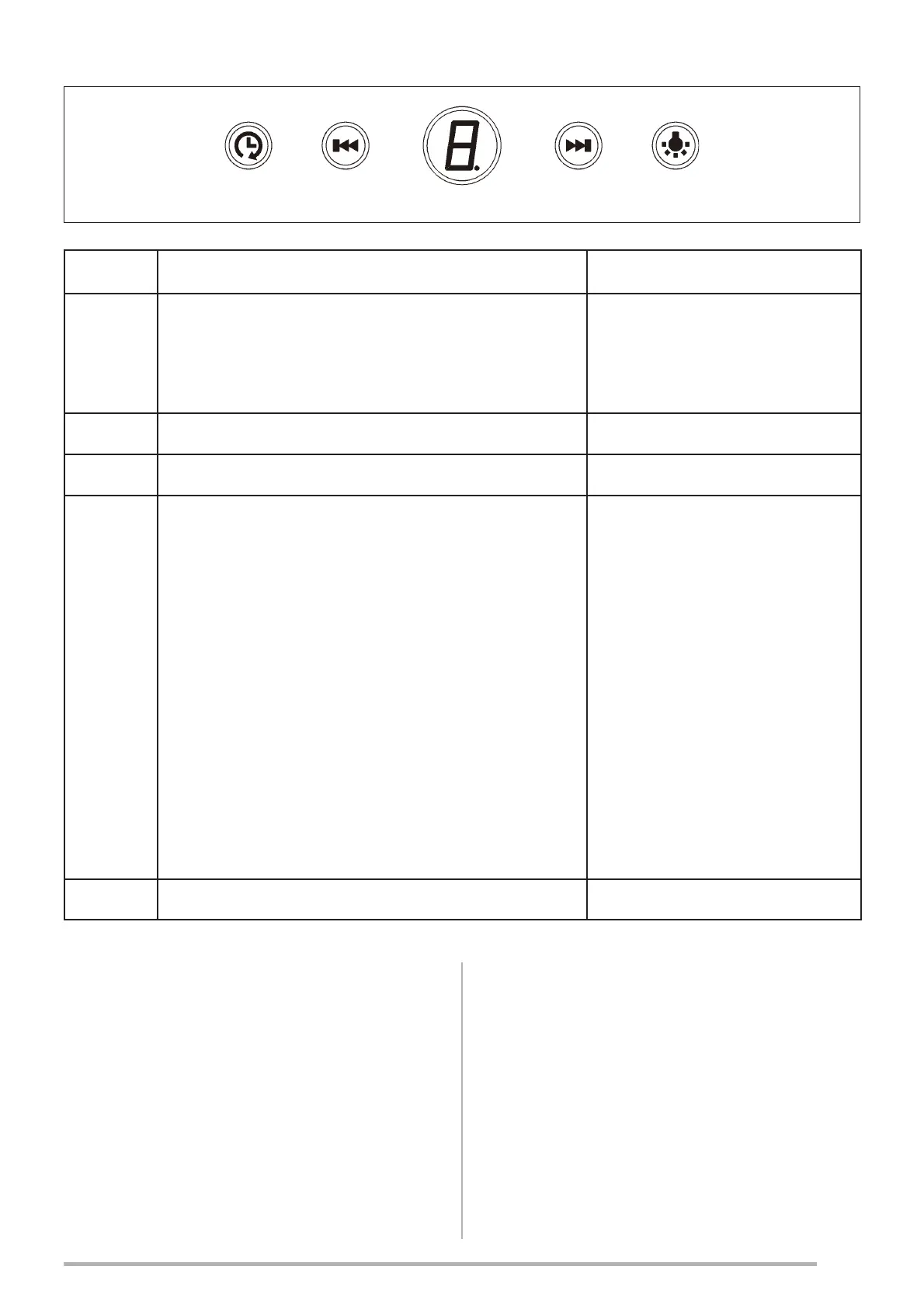
Button Function
Led
T1 By pressing T1 Button the controls board
are On and Off.
After 2 minuts without button pressing, the
control board turn Off.
Show 0
T2 Decreases the speed of the Motor. Show the selected speed
T3 Increases the speed of the Motor. Show the selected speed
T4 3UHVVEULHÀ\
Activates/Deactivates the Delay
2) Press and hold for at least 3 seconds:
Activates the Delay settings
Enable shutdown with same minutes delay
(Motor+Lights). It is possible to change
the operating speed when this function is
enabled.
It’s possible to choose the timing of Delay:
Press for 3 seconds the button until the Digit
ÀDVK:LWKLQVHFRQGVVHWIURPWRWKH
minutes of Delay by pressing T2 or T3 button.
3UHVVDJDLQWKH%XWWRQ7WRFRQ¿UP
Flash
L Turns the Lighting System on and off. On / Off
5. LIGHTING
• For replacement contact technical support
(“To purchase contact technical support”).


 To Next Page