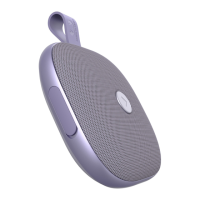
 Need help?
Do you have a question about the Fresh 'N Rebel ROCKBOX BOLD XS and is the answer not in the manual?
 General
| Number of speakers | 1 |
|---|---|
| Audio output channels | 1.0 channels |
| Wi-Fi | No |
| Bluetooth | Yes |
| Bluetooth version | 4.2 |
| USB connector type | Micro-USB |
| USB 2.0 ports quantity | USB 2.0 ports have a data transmission speed of 480 Mbps, and are backwards compatible with USB 1.1 ports. You can connect all kinds of peripheral devices to them. |
| Connectivity technology | Wired & Wireless |
| Recommended usage | Mobile phone / Smartphone |
| Mobile operating systems supported | Android, iOS |
| Battery type | Built-in battery |
| Battery voltage | 3.7 V |
| Battery capacity | 1800 mAh |
| DC input voltage | 5 V |
| Power source type | Battery |
| Battery life (max) | 20 h |
| Battery recharge time | 4 h |
| Input current | 1 A |
| Packaging content | Carrying clip |
| RMS rated power | 5 W |
| Cables included | Audio (3.5mm), Micro-USB |
| Quantity per pack | 1 pc(s) |
| Package type | Box |
| Product type | Mono portable speaker |
| Product color | Pink |
| Volume control | Buttons |
| Housing material | Fabric, Rubber |
| Protection features | Waterproof |
| International Protection (IP) code | IPX5 |
 Weight and Dimensions
| Depth | 109 mm |
|---|---|
| Width | 113 mm |
| Height | 36.5 mm |
| Weight | 212 g |
Identifies Micro USB port, Battery/Charging LED, Audio In jack, and Main LED indicator.
Details short and long press functions for volume, track selection, play/pause, and call management.
Connect via USB cable, monitor charging status via LED, and turn on the speaker.
Speaker enters pairing mode automatically; connect via device Bluetooth settings.
Turn on two speakers, then press +/- buttons for 5 seconds to pair them.
Connect your device's Bluetooth to the paired speaker system for audio playback.
Addresses automatic reconnection to previous devices and entering pairing mode.
Explains low battery warnings and speaker behavior when idle.
Follow instructions, ensure IPX5 splash resistance by closing cover and removing cables.
Avoid heat, modification, heavy objects, and ensure proper battery disposal.
 To Next Page