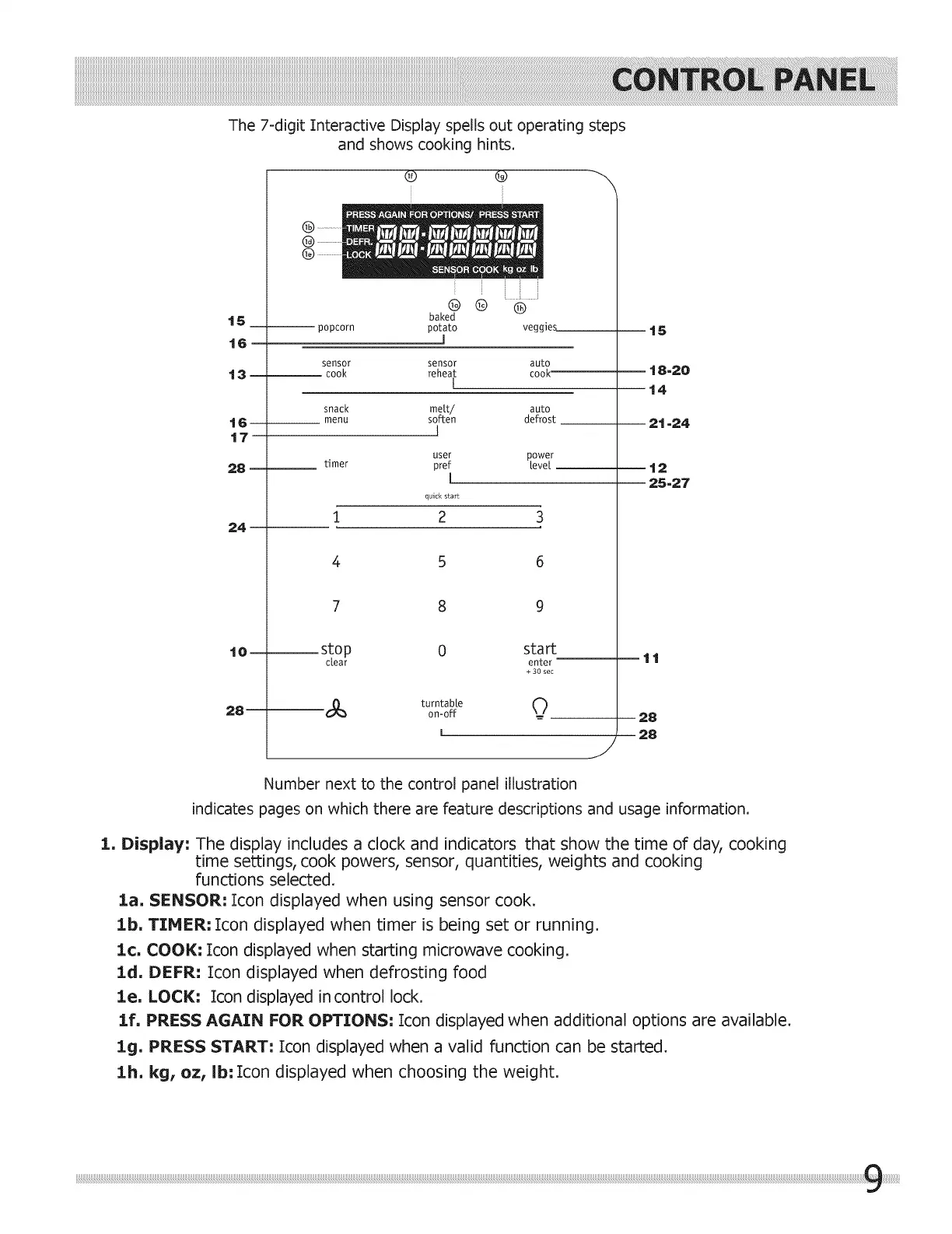
The7-digitInteractiveDisplayspellsoutoperatingsteps
andshowscookinghints.
t5
t6
t3
t6
t7
28
24
t0
28
popcorn
sensor
cook
snack
menu
®
baked
potato
l
® ®
veggies
sensor auto
reheat cook
I
mett/ auto
soften defrost
I
user power
timer pref revel
I
quick start
1 2 3
5
7 8
stop 0
clear
turntable
on-off
start
enter
+ 30 sec
o
t5
t 8-20
t4
2t -24
12
25-27
tt
28
28
/
Number next to the control panel illustration
indicates pages on which there are feature descriptions and usage information.
1. Display: The display includes a clock and indicators that show the time of day, cooking
time settings, cook powers, sensor, quantities, weights and cooking
functions selected.
la. SENSOR: Icon displayed when using sensor cook.
lb. TIMER: Icon displayed when timer is being set or running.
1¢. COOl(: Icon displayed when starting microwave cooking.
ld. DEFR: Icon displayed when defrosting food
le. LOCI(: Icon displayed in control lock.
lf. PRESS AGAIN FOR OPTIONS: Icon displayed when additional options are available.
lg. PRESS START: Icon displayed when a valid function can be started.
lb. kg, oz, ib: Icon displayed when choosing the weight.



 To Next Page