30
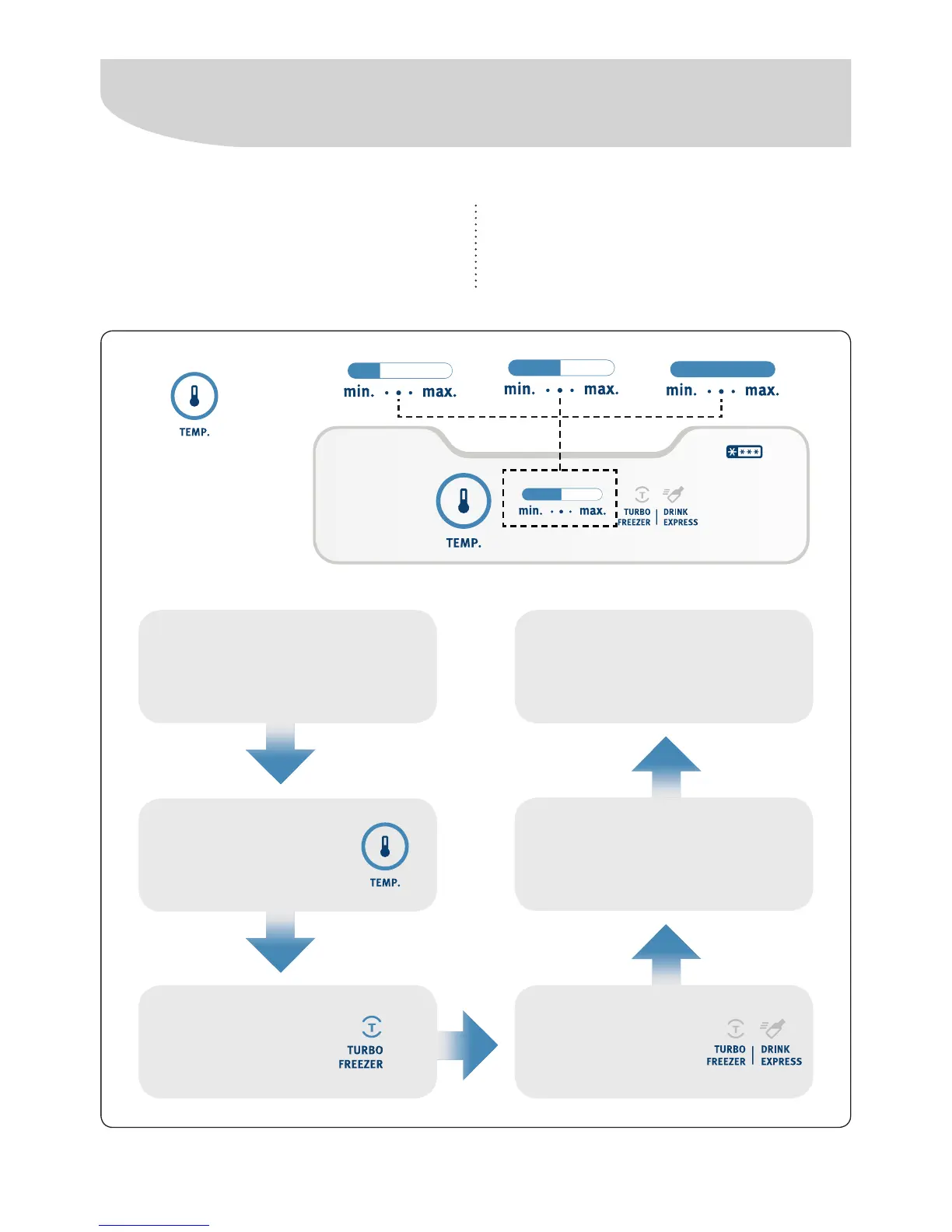
Temperature adjustment
The adjustment is made by touching the TEMP.
key. Each touch will make the temperature
indicators to be increased until it reaches its
maximum position, as shown below.
Obs .: When the refrigerator is connected,
the control will always indicate the MEDIUM
position (the default setting).
To adjust the
temperature
press the
"TEMP." key
To activate the TURBO
FREEZER or DRINK EXPRESS
functions
Press and hold
"TEMP." key for 1
second
At this point the
TURBO FREEZER
function will be
selected
Chosen the desired function,
wait 5 seconds. After this time
the function will automatically
start and will light.
To cancel the function press
and hold "TEMP." key for 1
second
To switch between
the functions press
the "TEMP." key




 To Next Page