PAIRING WITH BLUETOOTH DEVICES
5
On the back of the fridge, flip the Bluetooth switch to the ON position.
The fridge will say “The Bluetooth device is ready to pair” indicating
that is ready to pair with your phone or tablet.
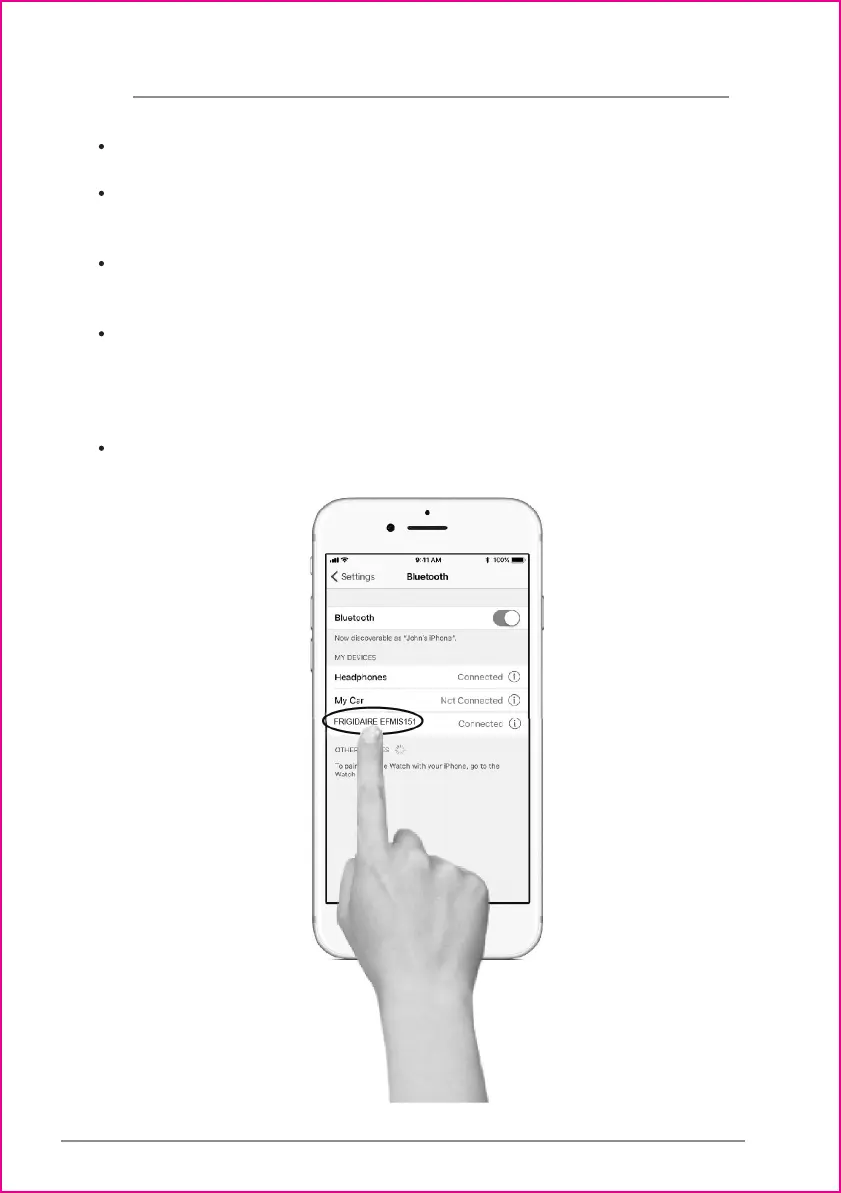
Go to the Bluetooth setting on your phone/tablet and search the device
list for “FRIGIDAIRE EFMIS151”. Click on it to pair. SEE IMAGE.
When the fridge pairs with your phone/tablet it will say “The Bluetooth
device is connected successfully”. You are now ready to enjoy the
convenience of your Bluetooth speaker.
Use the volume control on your phone/tablet to control the volume of
the speaker.




 To Next Page