14 HOW TO MAKE ICE CREAM
On
On
On
On
On
On
Flashing
Flashing
Flashing
FlashingFlashing
Flashing
All flashing
Number is decreasing
Number is increasing
Number is decreasing
Hard Ice
Cream
STIRTIME+
Milkshake
Soft Ice
cream
TIME-
START
STOP
Hard Ice
Cream
STIRTIME+
Milkshake
Soft Ice
cream
TIME-
START
STOP
Hard Ice
Cream
STIRTIME+
Milkshake
Soft Ice
cream
TIME-
START
STOP
Hard Ice
Cream
STIRTIME+
Milkshake
Soft Ice
cream
TIME-
START
STOP
Hard Ice
Cream
STIRTIME+
Milkshake
Soft Ice
cream
TIME-
START
STOP
Hard Ice
Cream
STIRTIME+
Milkshake
Soft Ice
cream
TIME-
START
STOP
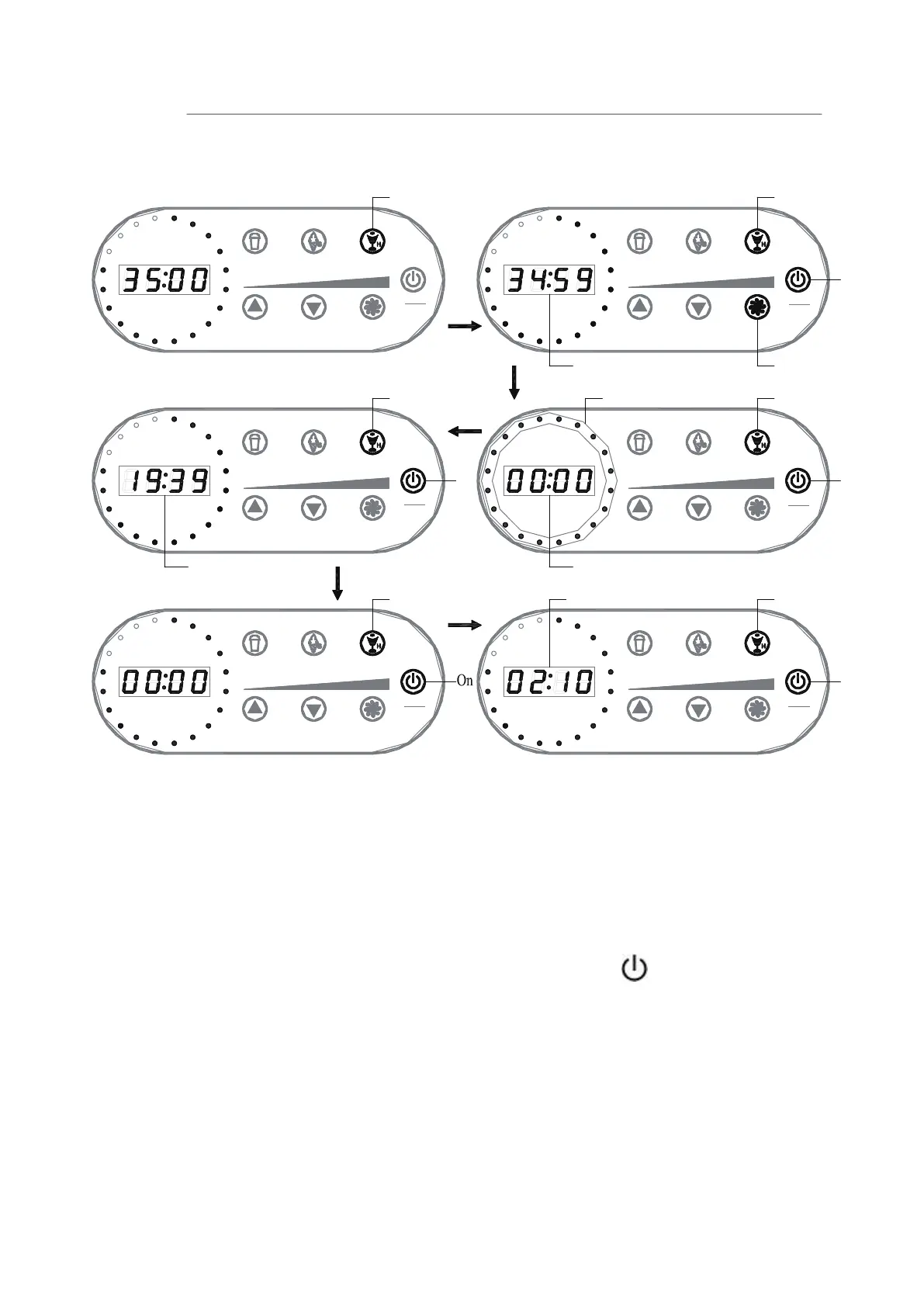
When Hard ice cream set:
During hard ice cream set, the buzz will sound for 30 seconds, and at same time all the nights
in circle will flash 30 seconds, and the LED display window will flash 30 seconds too. Please
take out the paddle, otherwise, the paddle will be frozen up with the ice cream.
Note 1: During the Soft ice cream or the Hard ice cream or the Milkshake making process, you
can set the “TIME+” or “TIME-” button to change the ice cream making duration time
according to your taste.
Note 2: To stop the function, you have to press the “START/STOP” button for two seconds.
Note 3: After count down, the unit start timing, during this time, compressor work intermittently
to keep temperature from rising.
5.
6.
It’s better to enjoy ice cream at once the whole process is completed, or pull out the ice cream
mixing bowl and store in your fridge to avoid melting.
Press the Stir button at any point in the Mixing to pause the time and mixing. You can add more
material into the bowl. To restart, press the Stir button again to continue.


 To Next Page