CHANGING THE FILTER
Air filter (select models)
The air filter is located under the utility bin.
Replacing your PureAdvantage TM air filter
To ensure optimal filtering of refrigerator odors, you
should change the air filter every six (6) months (the
filter status light on the Touch Panel prompts you to
replace the filter after six (6) months).
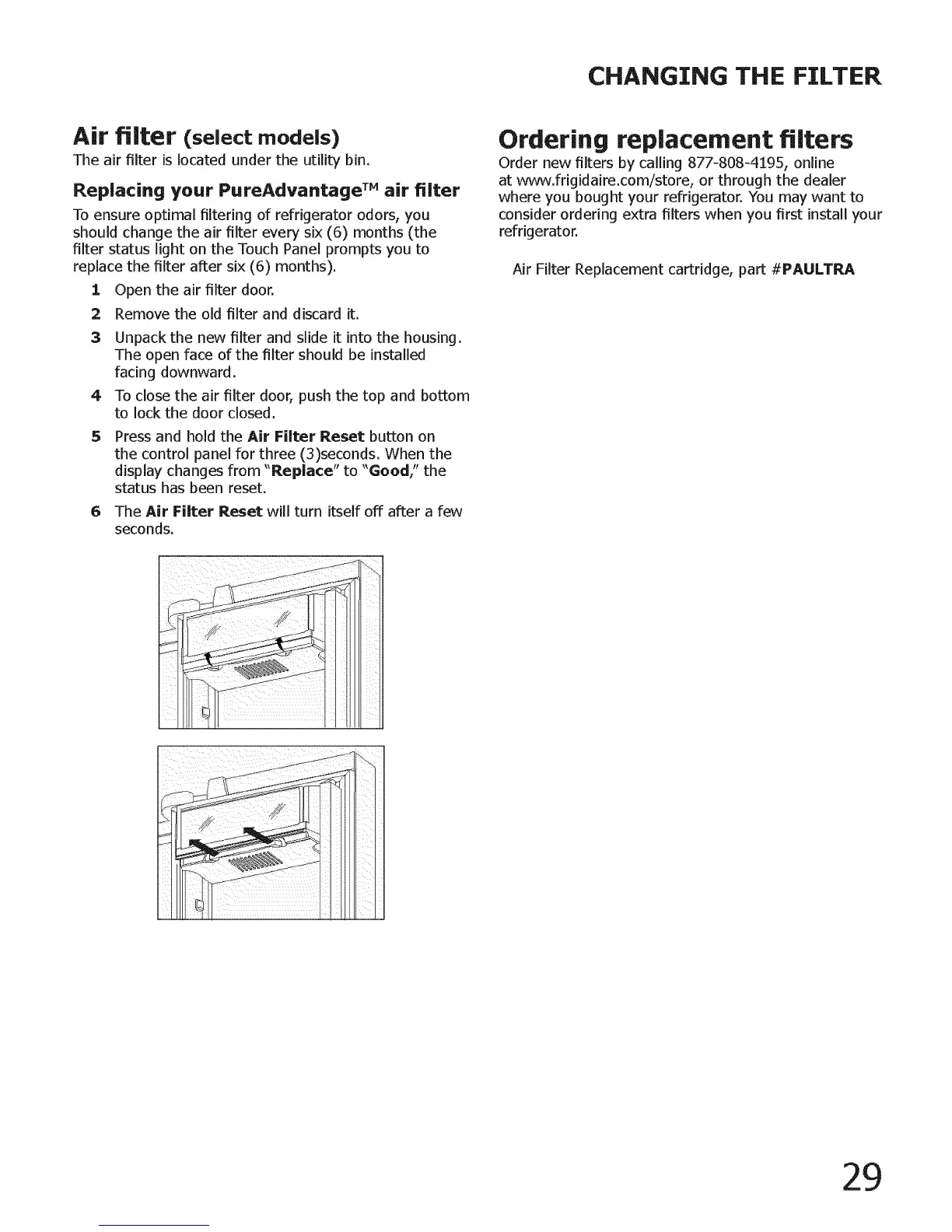
I Open the air filter door.
2 Remove the old filter and discard it.
3 Unpack the new filter and slide it into the housing.
The open face of the filter should be installed
facing downward.
4 To close the air filter door, push the top and bottom
to lock the door closed.
Press and hold the Air Filter Reset button on
the control panel for three (3)seconds. When the
display changes from "Replace" to "Good/' the
status has been reset.
6 The Air Filter Reset will turn itself off after a few
seconds.
Ordering replacement filters
Order new filters by calling 877-808-4195, online
at wvvw.frigidaire.com/store, or through the dealer
where you bought your refrigerator. You may want to
consider ordering extra filters when you first install your
refrigerator.
Air Filter Replacement cartridge, part #PAULTRA
29




 To Next Page