29
SETTING OVEN CONTROLS
Steam Roast
Steam creates the best conditions for roasting pro-
teins. Meats will be crisp outside and juicy inside.
Steam Roast is recommended for meat or poultry.
To set steam roast with a default oven set tem-
perature of 350°F (176°C):
1. Arrange the oven racks when cool.
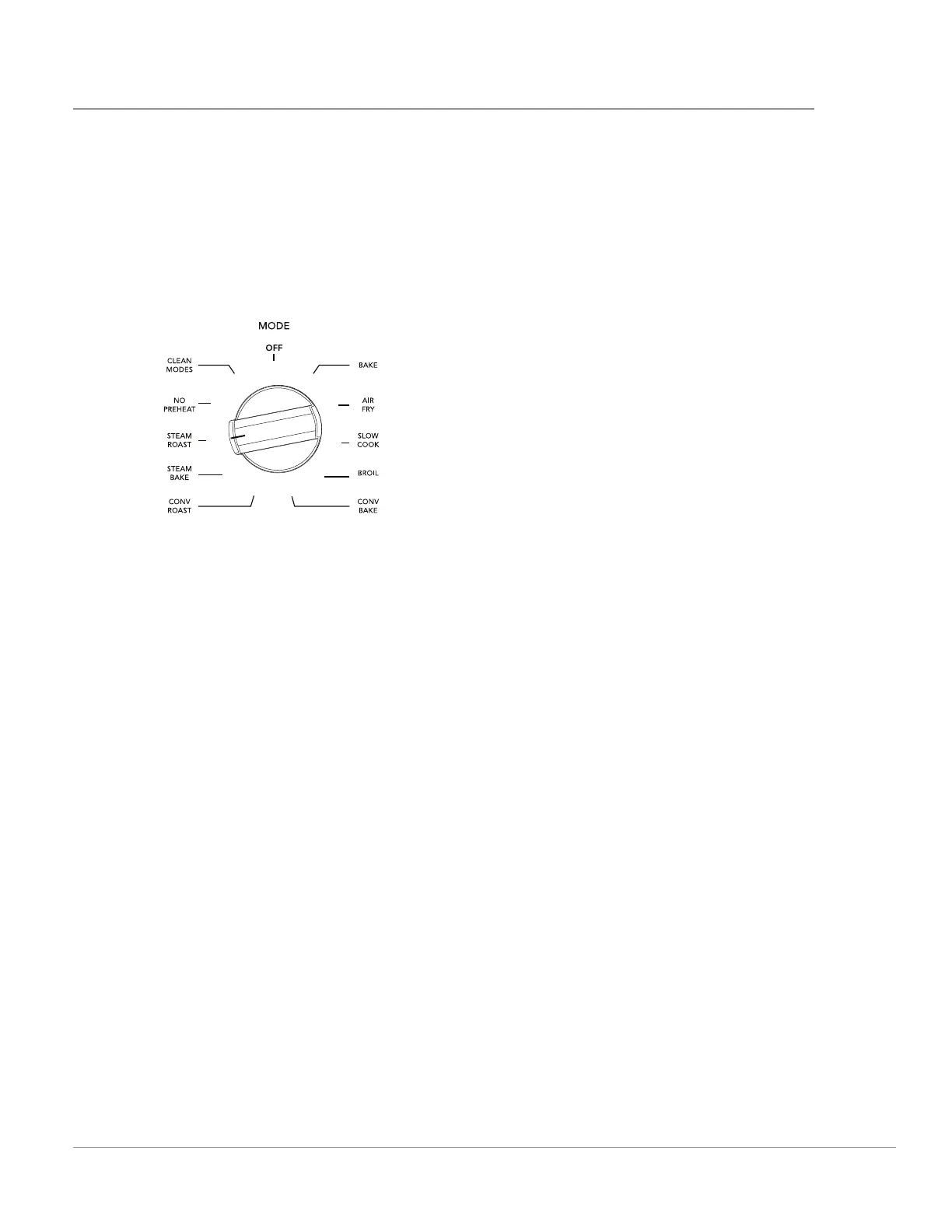
2. Turn the Mode knob to STEAM ROAST. The
temperature display will show ---.
3. Turn the Temperature knob until the display
shows 350°F (176°C). urn the Temperature
knob until the display shows 350°F (176°C). The
display will show Add H2o. The DOOR indicator
will come on.
4. Open the oven and add 2.5 cups of water to the
bottom of the oven. The CLOSE DOOR indica-
tor will come on.
5. When the oven reaches the chosen tempera-
ture, the PREHEATING indicator will turn o .
For optimum browning results, allow the oven
to fully preheat before adding food.
6. When fi nished cooking, turn the Mode knob to
OFF.
Important: Stand to the side of the oven when
opening to allow any steam to escape.






 To Next Page