1 FRITZ!WLANStickAC860
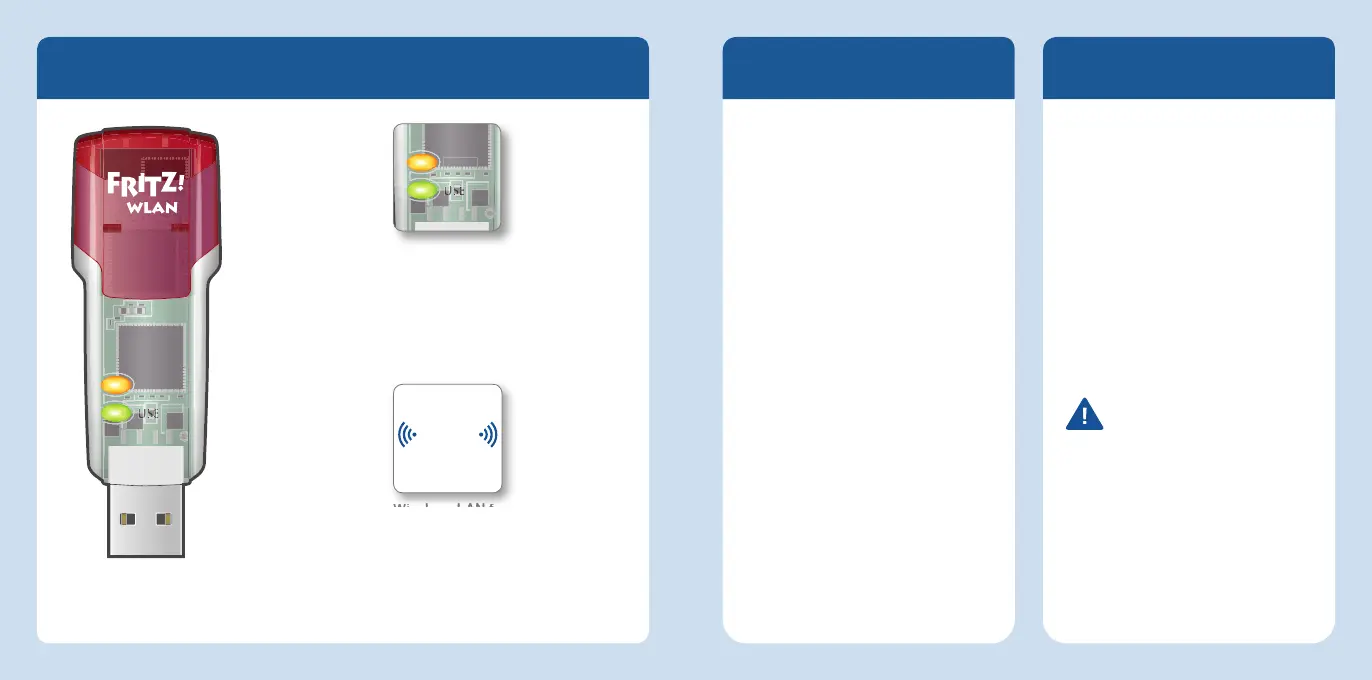
Package Contents and Device Features
Wireless LAN function
• For connecting to the wireless
radio network
• WLAN 802.11ac in the 5-GHz band
• Compatible with WLAN
802.11b/g/n/a
Status display
• WLAN: indicates a wireless
LAN connection
• USB: indicates that the stick is
ready for operation
FRITZ!WLANStick
This quick introduction
shows you the possibilities
for deploying and operating
your FRITZ!WLANStickAC860.
Comprehensive information and
technical details are presented in the
PDF manual available on our website
at
en.avm.de/service.
The FRITZ!WLANStickAC860 is a
wireless LAN device for the USB
port. At your computer’s USB port
the FRITZ!WLANStickAC860 can
establish wireless connections to
a wireless access point or direct
connections to other wireless devices.
The FRITZ!WLANStickAC860
establishes wireless connections
using the wireless networking
software of the operating system
on your computer. With the
FRITZ!WLAN software you receive
information on your wireless LAN
connections and the settings of the
FRITZ!WLANStickAC860.
Have fun with your
FRITZ!WLANStickAC860!
Security
Do not install FRITZ!WLAN Stick
during an electrical storm.
During a storm, disconnect the
FRITZ!WLAN Stick from the
computer.
Never let liquids get inside the
FRITZ!WLAN Stick.
Do not open the FRITZ!WLAN
Stick. Opening and/or repairing
the device can present a hazard.
Remove the FRITZ!WLAN Stick
from the computer before
cleaning. Clean the device using
a moist cloth.
See also the security
instructions in your
FRITZ!WLAN Stick AC 860
manual at
en.avm.de/service/
manuals
WLAN
USB
4 5
English
English


 To Next Page