DE - Testen der Verbindung zu senseLAN
FR - Raccordement avec senseLAN
EN - Establish the connection to senseLAN
DE
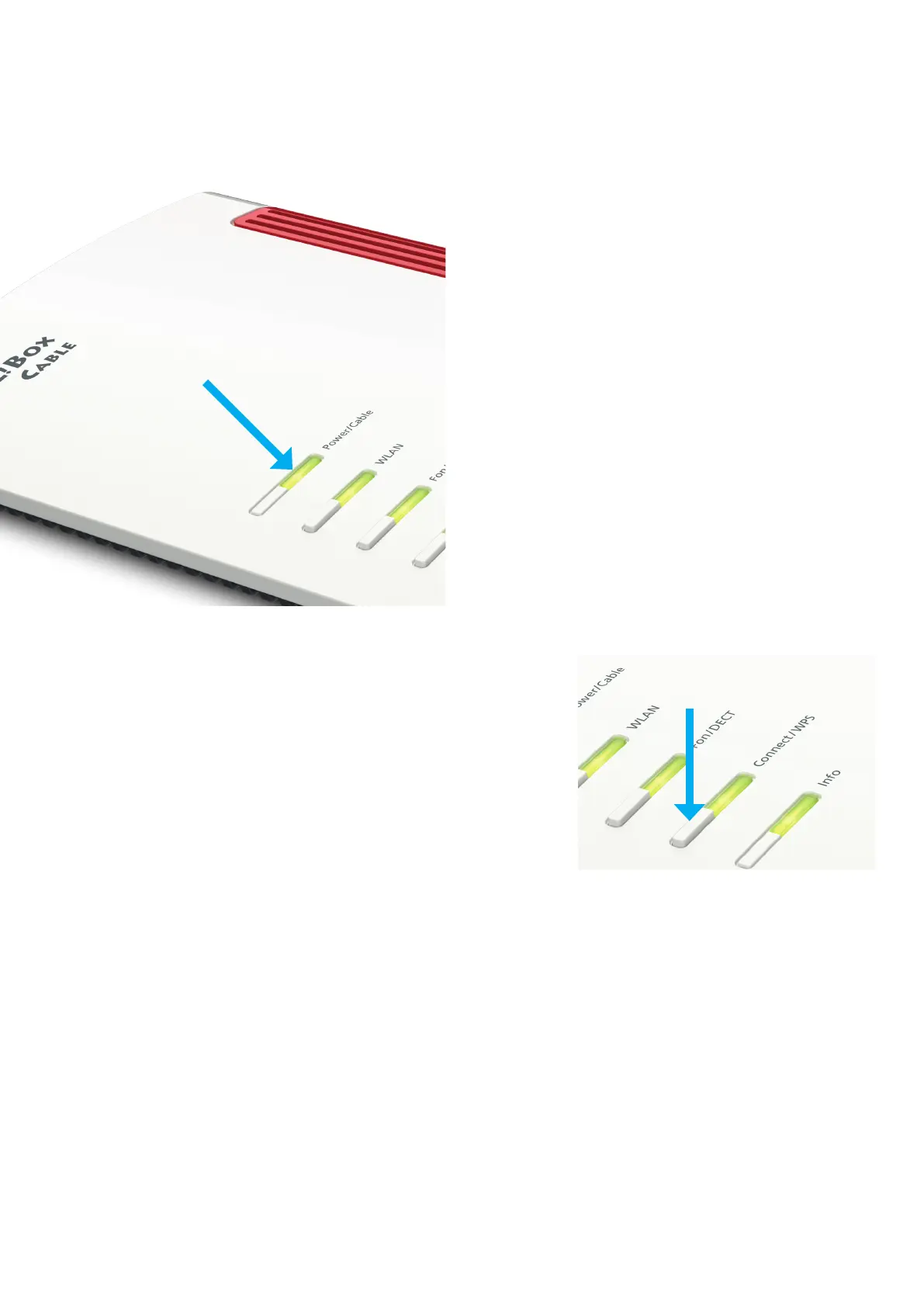
Wenn Power/Cable blinkt, wird die
Verbindung hergestellt. Der Vorgang kann
bis zu 20 Minuten dauern. Sobald die LED
leuchtet, ist die FRITZ!Box betriebsbereit.
FR
Si le voyant lumineux „Power/Cable“ clignote
la connection est en cours d‘établissement.
Cela peut prendre jusqu‘à 20 minutes. Dès
que le voyant lumineux est allumé FRITZ!Box
est prête à fonctionner.
EN
If the Power/Cable is ashing the connection
to the internet is being etablished. This
process can take up to 20 minutes. If the LED
is on, FRITZ!Box is ready for operation.
DE - Computer per WPS verbinden
FR - Connecter des appareils par WPS
EN - Connecting devices with WPS
DE
Sie können WLAN-Geräte
per WPS mit der FRITZ!Box
verbinden:
• Klicken Sie in der
Taskleiste auf das WLAN-
Symbol.
• Auf dem Bildschirm
erscheint eine Liste mit
Drahtlosnetzwerken.
• Wählen Sie das
Drahtlosnetzwerk Ihrer
FRITZ!Box aus und klicken
Sie auf „Verbinden“.
• Drücken Sie die „Connect/
WPS“-Taste der FRITZ!Box
bis die LED „WLAN“ blinkt.
FR
Vous pouvez connecter des
périphériques sans l à votre
FRITZ!Box via le WPS:
• Cliquez sur l‘icon de
réseau sans l dans la
barre des tâches.
• Une liste de réseaux sans
l s‘afche sur votre écran.
• Sélectionnez le réseau
sans l de votre
FRITZ!Box, puis cliquez
sur „Connecter“.
• Enfoncez la touche
„Connect/WPS“ de votre
FRITZ!Box jusqu‘à ce
que le yoyant lumineux
„WLAN“ clignote.
EN
Devices with WLAN can be
connected with the FRITZ!Box
using WPS:
• Click the wireless network
icon in the task bar.
• A list appearson the
screen showing all wireless
networks.
• Select the wireless
network of your FRITZ!Box
and click „Connect“.
• Press the „Connect/WPS“
button on the FRITZ!Box
until the „WLAN“ LED
begins ashing.



 To Next Page