DE - Einrichten mit http://fritz.box
FR - Congurer avec http://fritz.box
EN - Conguration with http://fritz.box
DE
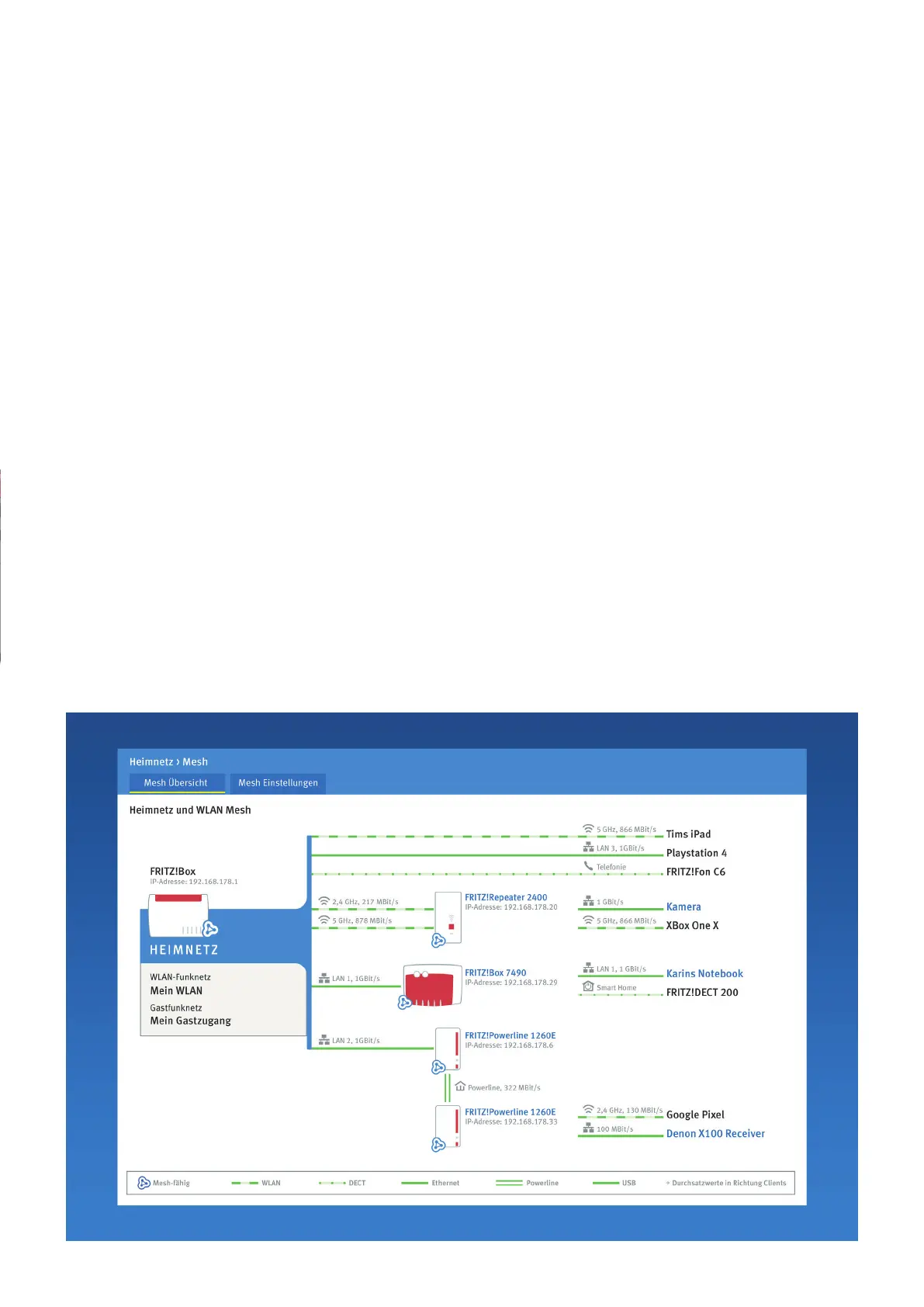
Die FRITZ!Box hat eine
Benutzeroberäche, in
der Sie Funktionen und
Verbindungsinformationen
erhalten.
• Starten Sie einen
Internetbrowser und
geben Sie http://fritz.
box in das Adressfeld
ein.
• Folgen Sie den
Anweisungen auf dem
Bildschirm und geben
Sie dabei Ihr FRITZ!Box-
Kennwort ein (steht
unten an der Box)
• Ihr FRITZ!Box-Kennwort
steht auf der Unterseite
der FRITZ!Box.
FR
FRITZ!Box est dotée d‘une
interface utilisateur qui vous
permet d‘activer différentes
fonctions et d‘obtenir
des informations sur les
connexions.
• Lancez un navigateur
Internet puis saisissez
http://fritz.box dans la
ligne d‘adresse.
• Suivez les instructions
qui apparaissent sur
votre écran, et saisissez
votre mote de passe
FRITZ!Box.
• Le mot de passe
FRITZ!Box gure sur
l‘autocollant placé sur la
partie inférieure de votre
FRITZ!Box.
EN
The FRITZ!Box has a user
interface, where you can
enable functions and
view information about
connections.
• Open a web browser
and enter http://fritz.
box in the adress bar .
• Follow the instructions
on the screen and
enter your FRITZ!Box
password.
• Your FRITZ!Box
password is printed on
a sticker on the base of
the FRITZ!Box.



 To Next Page