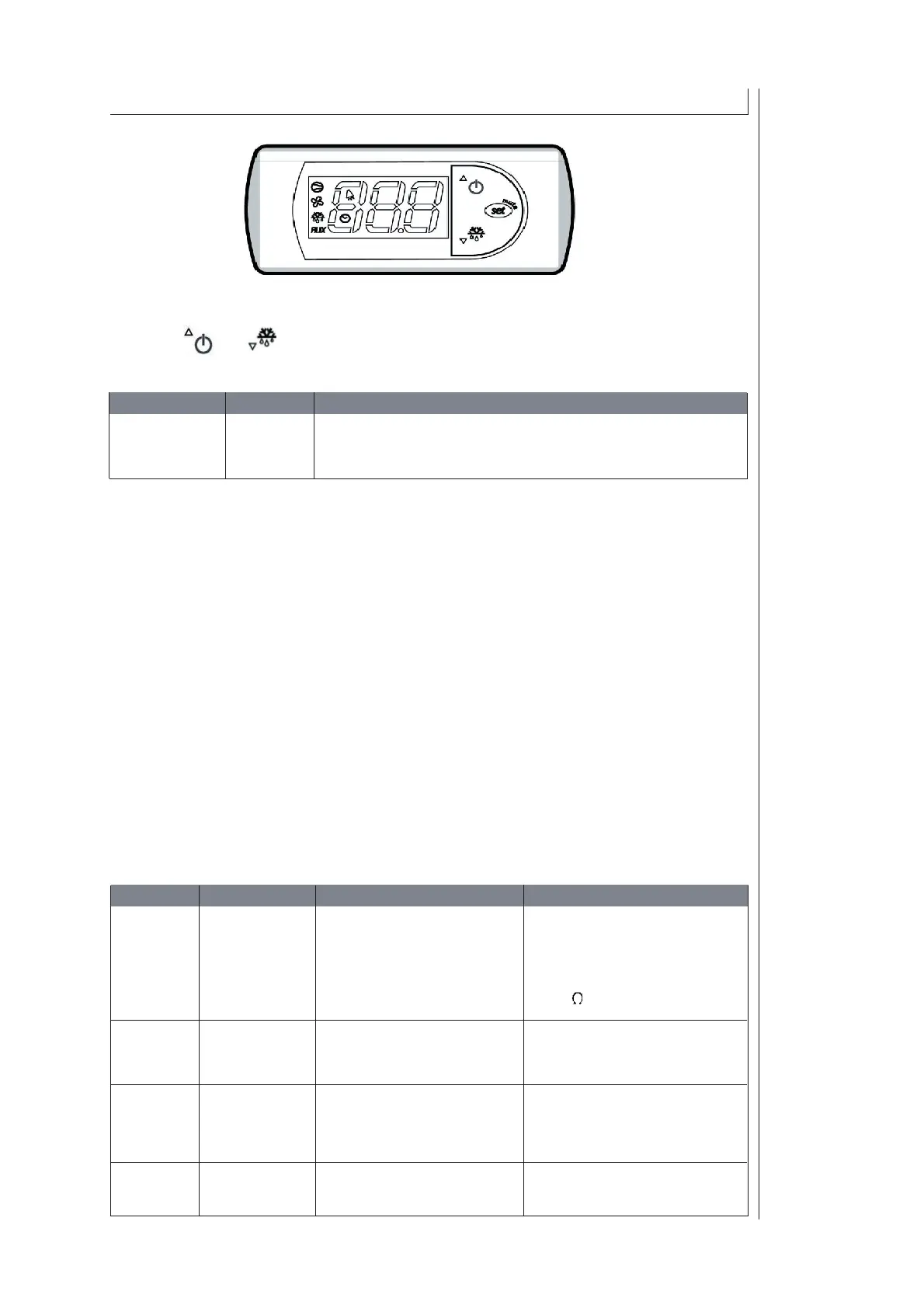
Description of the Digital controller
Temperature - setting:
Press the `` SET `` key for 1 second until the current temperature value appears.
With the key and
the values can be adjusted and must be confi rmed with `` SET `` key.
The min / max temperature set values are restricted by the manufacturer.
Adjustment of controller by manufacturer:
OUT 1: Set point is set on 15°C by factory. Relay switches
on cooler as soon as temperature is exceeded.
OUT 2: provides a fault signal: temperature to low, temperature to
(Option) high and water level or water fl ow to low.
Indication of display:
In normal operation display indicates actual values measured by the sensor of medium.
Hysteresis:
Hysteresis is set by the factory and this value must not be changed.
Fault Analyses:
During an alarm, an acoustic signal is released, this can be discontinued by pressing the “SET” key.
Parameter Set Value Description
ST 1 15°C Mode: cooling
Can be adjusted within the restricted values
Indieation Desripition Cause Correction
E0 Failure: Sensor cable broken Check connections between
Sensor or short circuidet sensor and thermostat
Connection failure Check sensor and thermostat
Sensor desfective 10 k bei 25°C
IA Failure Water level or Examine water level
digital input: waterfl ow to low Dirty consumer
HI Alarm “HI“ Temperature of medium
Temperature of medium too high
10°C above set point
LO Alarm “LO“ Temperature of medium Temperature of medium too low
3°C below set point



 To Next Page