The document describes the FT722, FT742, and FT205 sensors, which are part of the Acu-Vis 2.0 system. These sensors are designed for measuring wind speed and direction, and the Acu-Vis 2.0 software provides a comprehensive interface for configuration, data logging, and calibration.
Function Description:
The FT sensors are primarily used for measuring wind speed and direction. The Acu-Vis 2.0 software serves as the primary interface for interacting with these sensors, allowing users to:
- Monitor Real-time Data: Display current wind speed and direction, along with heater setpoint and internal temperature.
- Configure Sensor Settings: Adjust various parameters such as heater settings (temperature and current limits), wind speed and direction filter settings, and wind direction datum offset.
- Log Data: Record sensor data for analysis.
- Calibrate Sensors: Modify the calibration profile of the sensor using the User Calibration Table (UCT) to adjust the output wind speed.
- Advanced Settings: Configure selective filter settings and overspeed warning schemes.
- Command Line Interface: Interact with the sensor using RS485 commands for detailed control and querying.
Important Technical Specifications:
The document highlights several technical specifications and features:
- Sensor Models: FT722, FT742, and FT205 are the primary sensor models. The FT722 and FT742 are available in different mount types: Surface Mount (SM), Direct Mount (DM), Direct Mount 50 (DM50), Flat Front (FF), and Pipe Mount (PM).
- Connectivity:
- USB: The Acu-Test Evaluation Kit connects the sensor to a power supply and a Windows PC using a virtual COM port. USB test cables convert RS485HD to USB.
- RS485HD: FT054 and FT055 cables are used for RS485HD connections with 5-pin and 8-pin connectors, respectively, supporting long-term datalogging.
- Power Supply: The system requires a 6-30VDC power supply, with 4A being necessary. The FT062 power supply is a C13-style adaptor for mains connection.
- Data Output: The sensors can output data in 4-20mA analogue signals.
- Heater System: The sensors include a heater system to prevent icing. The heater setpoint and current limits can be configured.
- Wind Speed Range: The analogue output for wind speed is typically 0-75m/s, with corresponding current outputs (e.g., 4mA = 0m/s, 20mA = 75m/s).
- Wind Direction: The sensors measure wind direction, and a datum offset can be applied.
- Software Compatibility: Acu-Vis 2.0 software runs on Windows 7, 8, 8.1, and 10.
- Half-Duplex Duplex Topology: RS485 half-duplex sensors run in Continuous Update (CU) mode, which can be difficult to communicate with due to limitations of half-duplex topology. Contact FT Technologies for assistance or disable CU mode using Acu-Vis 2.0.
- Cable Serial Number: The Acu-Test cable has a serial number (e.g., FTZ8ELLO, FTUNAAUW).
- Firmware Versions: The software displays information about FT Technologies contact information and software build versions.
- Language Options: English, French, Chinese, Spanish, Japanese, and Korean are supported.
Usage Features:
The Acu-Vis 2.0 software provides a user-friendly interface with several features to enhance usability:
- Installation Wizard: The software includes a setup.exe file for easy installation, with on-screen instructions.
- Sensor Connection: The software guides users through connecting the Acu-Test cable to the FT wind sensor, power supply, and PC via USB.
- Connect/Disconnect Button: A prominent "CONNECT" button initiates communication with the sensor, and a "DISCONNECT" button safely unplugs the wind sensor.
- Real-time Display: The "Wind Readings" tab offers a graphical display of real-time wind speed (in m/s) and wind direction (in degrees), along with a temperature gauge.
- Settings Tab: This tab provides an interactive user interface for changing basic sensor settings with point-and-click operation.
- Heater Settings: Configure heater temperature setpoint and current limits.
- Wind Speed & Direction Filter: Adjust filter status (ON/OFF), filter length, and number of samples.
- Wind Direction Datum Offset: Apply a directional offset to the sensor.
- Sensor Warnings and History: A button to view a history of connected sensor settings.
- Export Sensor Information: Creates an encrypted file containing current user settings and diagnostic information.
- Unlock Feature: Allows access to advanced features in Acu-Vis 2.0, including 'Commands' and the 'User Calibration Table', by entering an unlock code provided by FT Technology.
- Commands Tab (RS485 Digital Sensors only): Provides a command line interface for advanced users to view and send various software commands.
- Search Commands: Allows searching for specific commands (e.g., BR for Baud Rate).
- Execute Command: Sends the entered command to the sensor.
- Query Response: Displays the sensor's response to commands.
- UCT ('User Calibration Table') Tab:
- Graphical and Tabular Display: Shows existing UCT settings and allows for modification.
- Standard % Offset: Simple method to apply a percentage offset to the calibration.
- Customised UCT Table: Allows detailed modification of existing speed output to modified speed output values.
- Save UCT to Sensor: Saves the modified calibration profile to the sensor.
- UCT Status: Enables or disables the UCT.
- Load UCT from Sensor: Retrieves the current UCT settings from the sensor.
- Advanced Tab:
- Selective Filter: Configures filter scheme status and validity period.
- Overspeed Warning Scheme: Enables or disables overspeed warnings.
- TeraTerm Command Line Interface (digital RS485HD sensors only):
- Connection Setup: Guides users through creating a connection in TeraTerm, including configuring TCP/IP or serial port settings.
- Terminal Setup: Configures terminal settings like transmit and receive options, local echo, and character encoding.
- Useful Commands: Provides a list of common commands for querying wind data, sensor ID, software version, CU mode settings, and disabling CU mode.
Maintenance Features:
The document implicitly suggests several maintenance-related features and considerations:
- Software Updates: The system is designed to allow for software updates, which can introduce new features and improvements.
- Troubleshooting: The document mentions that in case of technical issues, users should contact the technical support team at FT Technologies.
- Calibration Management: The UCT feature allows users to maintain and adjust the sensor's calibration over time, ensuring accuracy. However, it cautions that user modification of the calibration profile can result in changed operational behavior and potentially undesirable behavior.
- Data Logging for Diagnostics: The ability to log sensor data and export sensor information can be crucial for diagnosing performance issues or for routine maintenance checks.
- Heater System: The configurable heater system helps maintain sensor functionality in cold weather conditions, preventing ice buildup.
- Error Handling: The software provides warnings, such as "WARNING - ALWAYS PRESS THE DISCONNECT BUTTON BEFORE UNPLUGGING THE WIND SENSOR (OR THE SENSOR MAY NOT OPERATE CORRECTLY)," to prevent damage or operational issues.
- Continuous Update (CU) Mode: For RS485 half-duplex sensors, the document advises disabling CU mode if communication issues arise, indicating a method for addressing potential operational problems.
- Firmware and Software Version Tracking: The software displays information about product name, serial number, cable status, and software versions, which is useful for tracking and ensuring compatibility during maintenance or upgrades.
- User Manual for Commands: The document frequently refers to the user manual for detailed information on UCT commands and other advanced settings, emphasizing the importance of comprehensive documentation for maintenance and advanced usage.

 Need help?
 General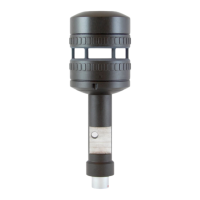

 To Next Page