Fax/Internet Fax
229
Fax
4
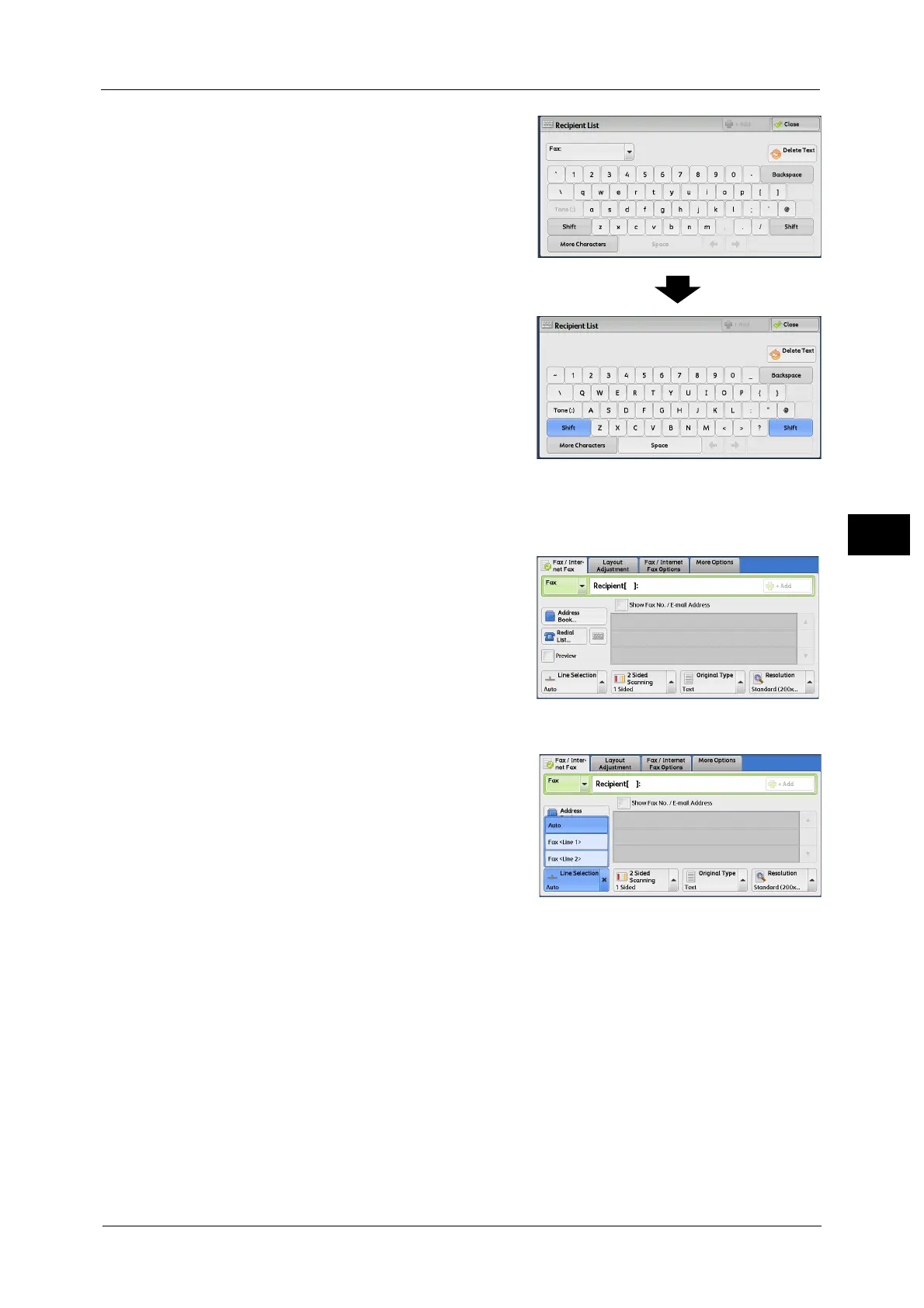
2 Select [Shift], and enter in the following format:
"<", "port number", ">", "recipient’s telephone
number".
The following shows the corresponding lines to
each port.
<1>: Line 1
<2>: Line 2
<3>: Line 3
Example when using Line 1: <1>XXXXXXXXXX
Specifying a line (port) using [Line Selection]
You can specify a line using [Line Selection].
1 Select [Line Selection].
Note • To display [Line Selection], the System
Administrator setting is required. For more
information, refer to "5 Tools" > "Fax Service
Settings" > "Screen Defaults" > "Fax Screen
Default" in the Administrator Guide.
• When [Line Selection] is displayed, [Lighten /
Darken] cannot be displayed. In this case,
you can set the fax density on the [Layout
Adjustment] tab. For more information, refer
to "Lighten / Darken (Adjusting Fax Density)" (P.240).
2 Select [Auto] or [Fax <Line N>] from the popup
menu.
Note • When [Fax <Line N>] is selected, a fax job is
transmitted to all specified recipients using
the selected line.
• When selecting [IP Fax (SIP)] as the address
type, [Line Selection] is selectable, however,
the setting is invalid and a fax job cannot be
transmitted using the selected line.
• You can set a line name as you intended. The line name can be set within 13 single-byte characters.
For more information, refer to "5 Tools" > "Fax Service Settings" > "Screen Defaults" > "Fax Screen
Default" in the Administrator Guide.



 To Next Page
 Loading...