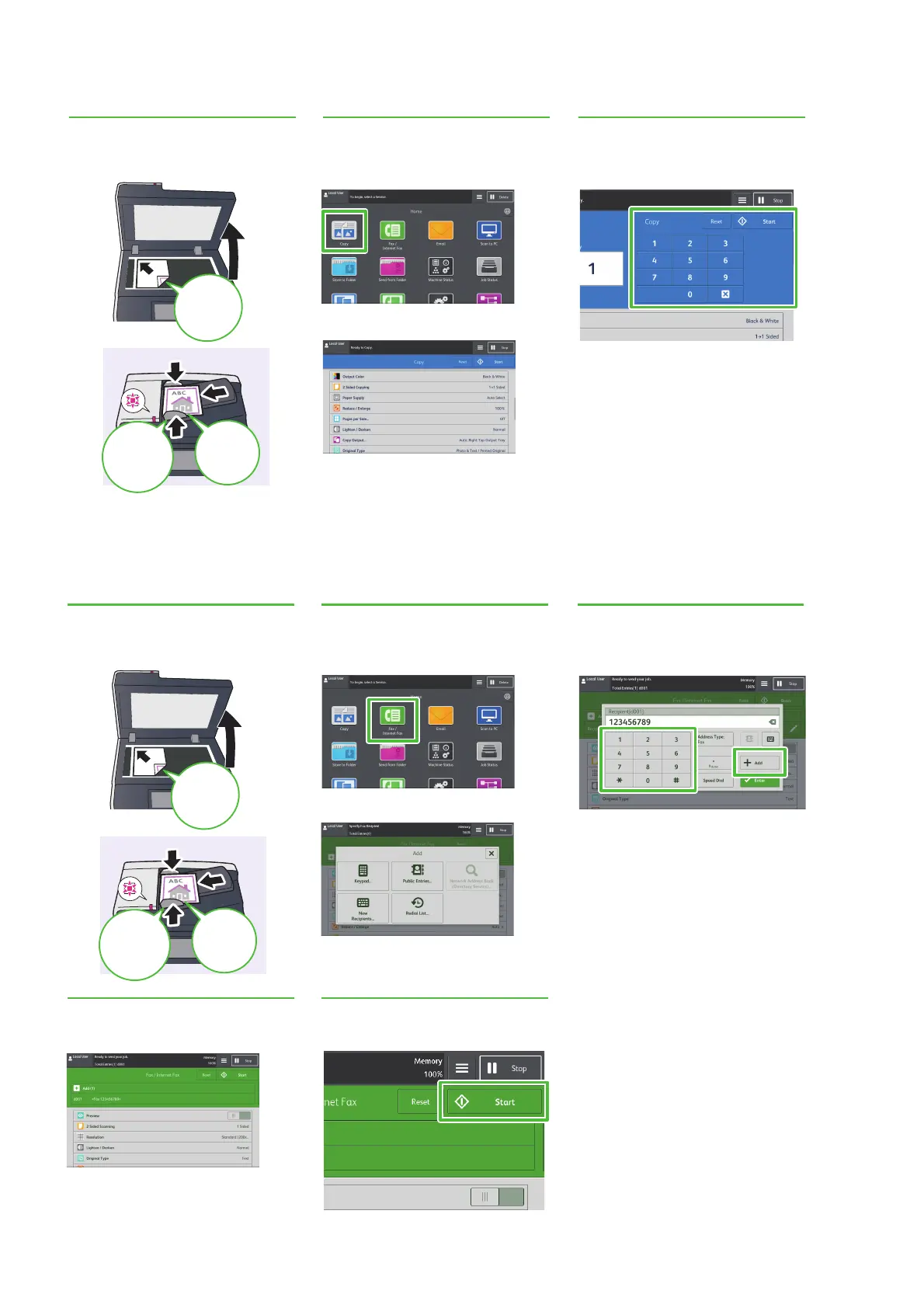
Place the
original face
down.
Align the
guides
against the
edges.
Load the
original
face up.
Specify the number of copy sets.
Press the [Start] button.
Select and configure the desired
function as necessary.
Select [Copy].
or
1
Set the original document(s).
2
Select the desired settings for
the job on the touch screen.
3
Set using the buttons.
Select and configure the desired
function as necessary.
Enter the facsimile number.
Press the [+Add] button.
Select [New Recipients] on the [Add]
screen.
Select [Fax/Internet Fax].
Load the
original
face up.
Align the
guides
against the
edges.
or
Place the
original face
down.
5
Start the faxing process.
4
Confirm the recipient(s).
3
Set using the buttons.
2
Select the desired settings for
the job on the touch screen.
1
Set the original document(s).



 To Next Page
 Loading...
