Setup
303
Tools
5
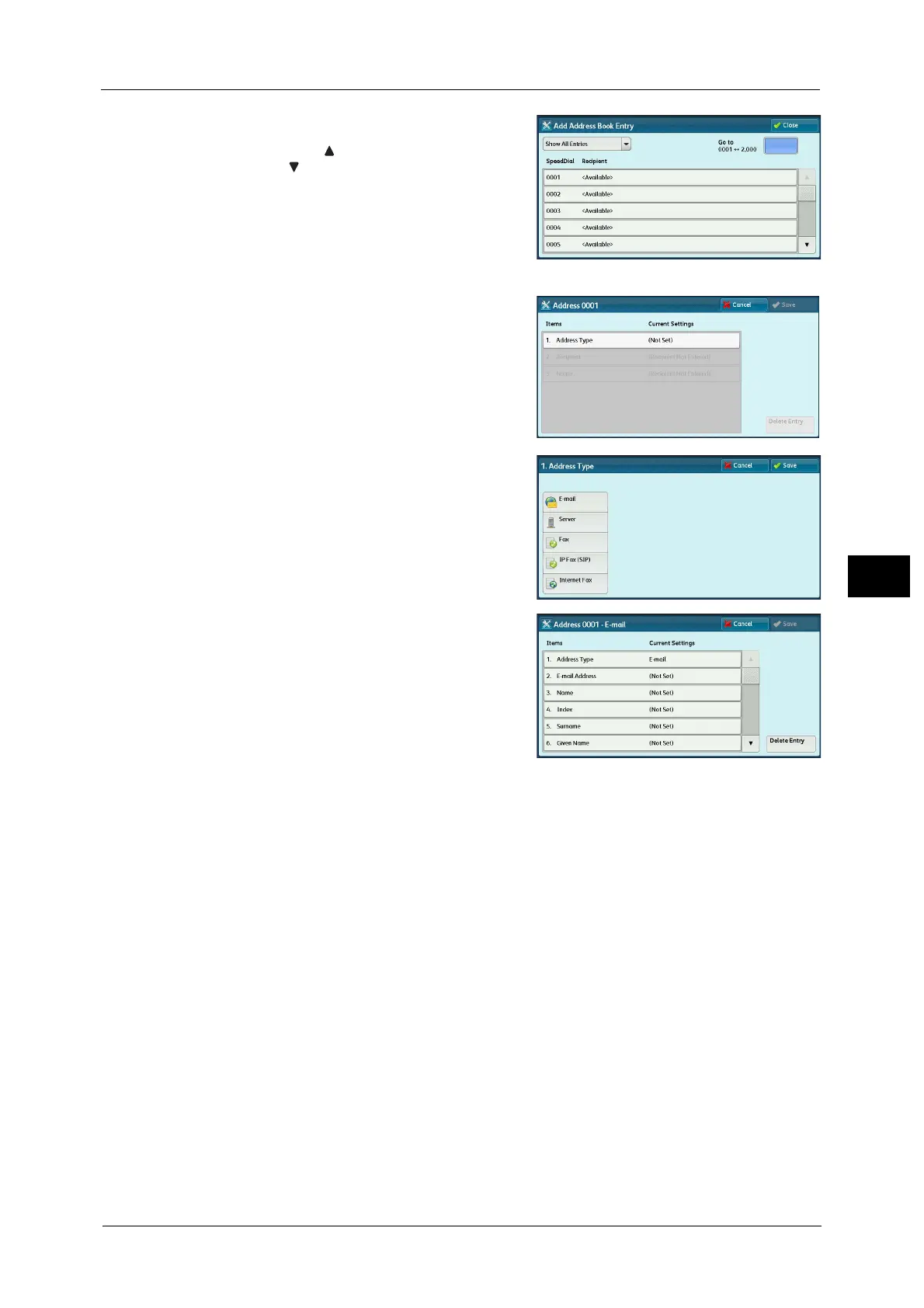
2 Press a speed dial to register.
Note • Select [ ] to display the previous screen or
[ ] to display the next screen.
• Entering a speed dial number with the
numeric keypad displays the specified
number at the top of the column.
3 Select [Address Type].
4 Select the address type, and then select [Save].
5 Select an item to set and set.
6 When the settings are completed, select [Save].
When selecting [E-mail] as the address type
The following items appear:
When selecting [Server] as the address type
The following items appear:
Address Type
Given Name
E-mail Address
Custom Item 1 (Telephone Number
*
)
Name
Custom Item 2 (Office
*
)
Index
Custom Item 3 (Department
*
)
Surname
S/MIME Certificate (ApeosPort Series Models only)
*
: Factory default setting
Address Type
Save in



 To Next Page
 Loading...

