11 First Steps
Inserting the Battery and a Memory Card
R
Using an AC Power Adapter
Using an AC Power Adapter
• The camera can be powered by an optional AC power adapter and DC coupler (sold
separately). See the manuals provided with the AC power adapter and DC coupler
for details.
• Depending on the country or region of sale, a demo mode slide show may start if
the camera is turned on while powered by an AC power adapter. Press the shutter
button to end the show.
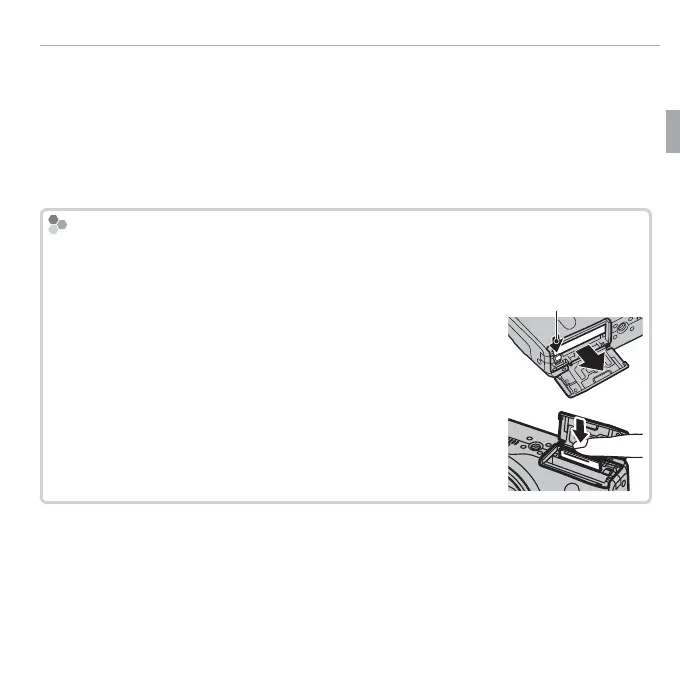
Removing the Battery and Memory Card
Removing the Battery and Memory Card
Before removing the battery or memory card, turn the camera o and open the
battery-chamber cover.
To remove the battery, press the battery latch to the side, and
slide the battery out of the camera as shown.
Battery latch
To remove the memory card, press it in and release it slowly.
The card can then be removed by hand. When a memory card
is removed, the card could come out of the slot too quickly. Use
your nger to hold it and gently release the card.



 To Next Page
 Loading...








