▶
Insert the PSU cage into the chassis (1).
▶
Push the PSU cage towards the rear of the chassis (2).
▶
Fasten the PSU cage with one screw (3).
Figure 82: Securing the PSU cage
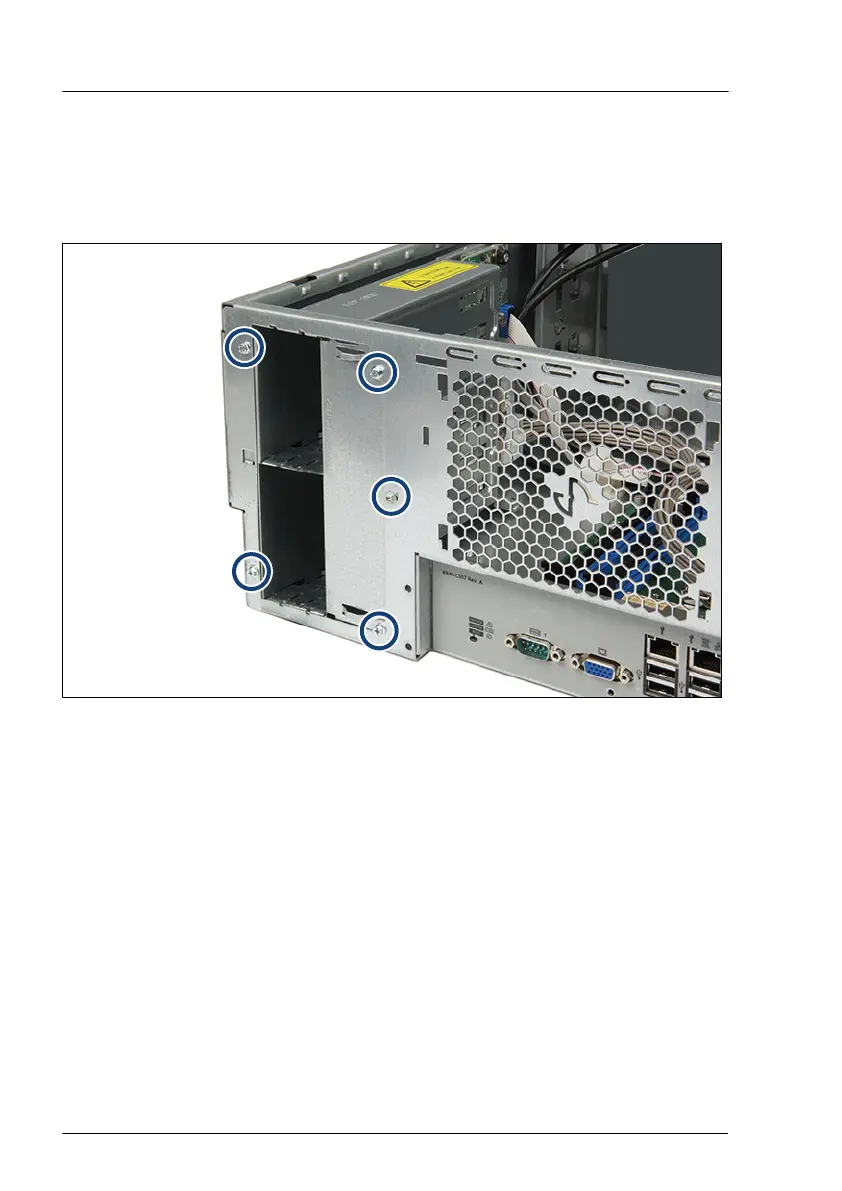
▶
Fasten the PSU cage to the chassis with five screws (see circles).
Connecting the power distribution board
▶
Connect the cables to the power distribution board (see Figure 78).
Power supply unit (PSU)
166 Upgrade and Maintenance Manual TX1330 M4



 To Next Page
 Loading...










