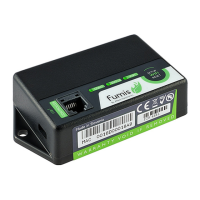
Status LED’s:
LED ‘’CONT’’
- intermittent ashing (0,5s ON/0,5s OFF) → establishing communication with the heating device
- permanently ON → à communication with the heating device established
LED ‘’STATUS’’
- ashing quickly (0,25s ON/0,25s OFF) → à WiRCU not connected to the power supply
through the micro USB. Only connected to the heating device
- intermittent ashing (0,5s ON/0,5s OFF) → à connecting to the server
- ashing slowly (1s ON/1s OFF) → à establishing cloud functionalities
(after the device has been successfully connected to the server)
- permanently ON → àready
LED ‘’WiFi’’
- ashing quickly(0,25s ON/0,25s OFF) → à when the LED is ashing quickly, you have 1 minute to setup
(through the Fumis APP) the parameters for accessing to the WiFi network
- intermittent ashing (0,5s ON/0,5s OFF) → à connecting to the access point
- ashing slowly (1s ON/1s OFF) → à acquisition of the IP address
(after the connection to the access point has been established)
- permanently ON → àWiFi established (the LED only shortly ashes every time the WiRCU
receives/sends some data from/to the cloud server)
NOTE: the WiRCU is normally operational when all LED’s are permanently ON.
7


 To Next Page
 Loading...