1-2
How to install the display unit in a console
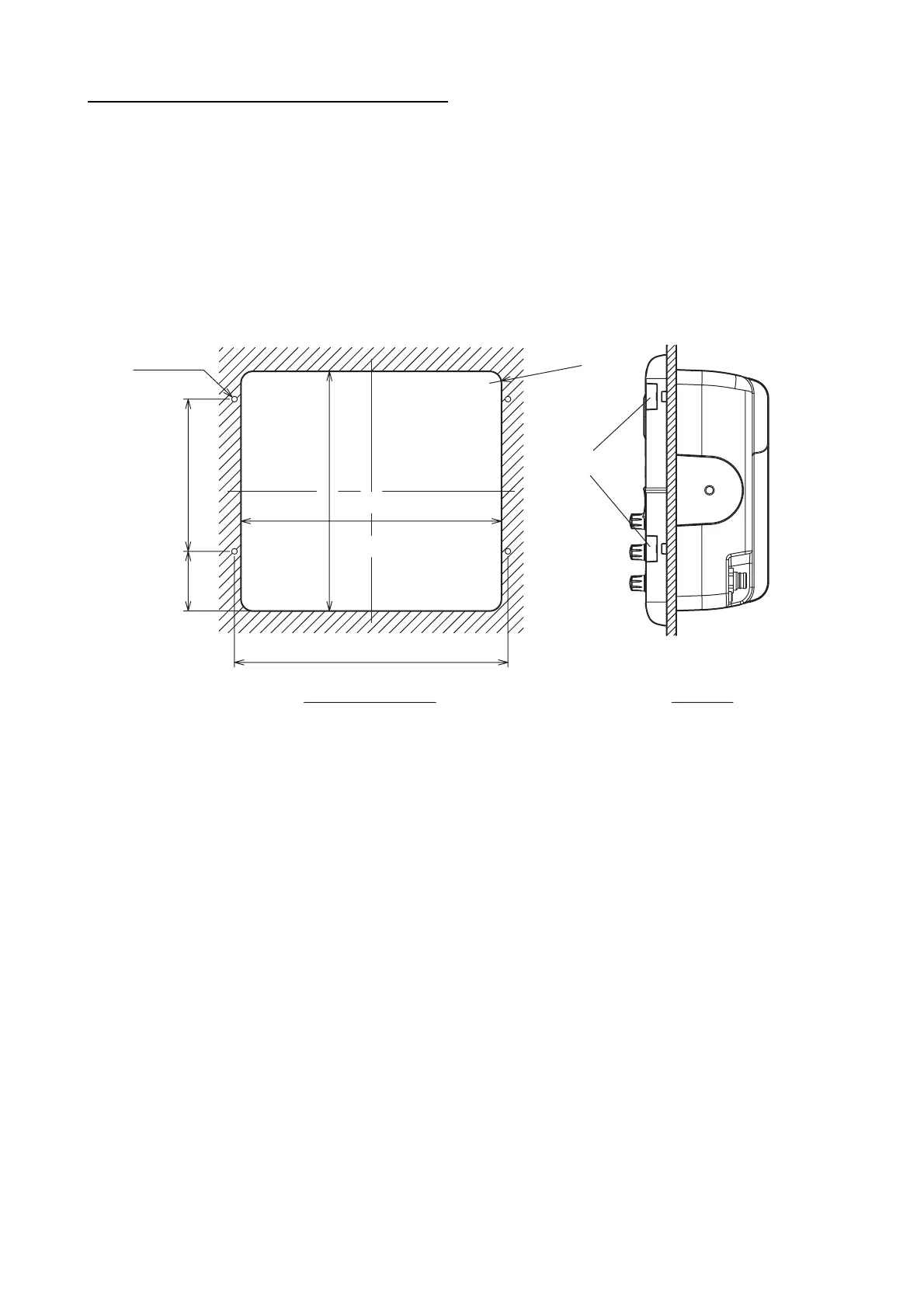
Follow the procedure shown below to install the display unit in a console.
1. Prepare a hole in the location whose dimensions are 274 (W) x 252 (H) mm.
2. Make four pilot holes. See the outline drawing at the back of this manual for additional infor-
mation.
3. Set a flush mount sponge supplied as an installation materials to the backside of the unit.
4. Set the unit to the hole.
5. Open the four covers and fasten the unit with four self-tapping screws (5 x 20) supplied.
4 - PILOT HOLES
Cutout dimensions
R12.5
63 (2.48")
Side view
Cover
287.6±0.5 (11.32")
274±1 (10.79
")
252±1 (9.92")
160±0.5 (6.30
")
R0.49
"



 To Next Page
 Loading...







