1. OPERATION
6
1.6.4 Alert display
The alert display consists of the active alert list and the alert log. For details, see section 2.5.
1.7 Menu Overview
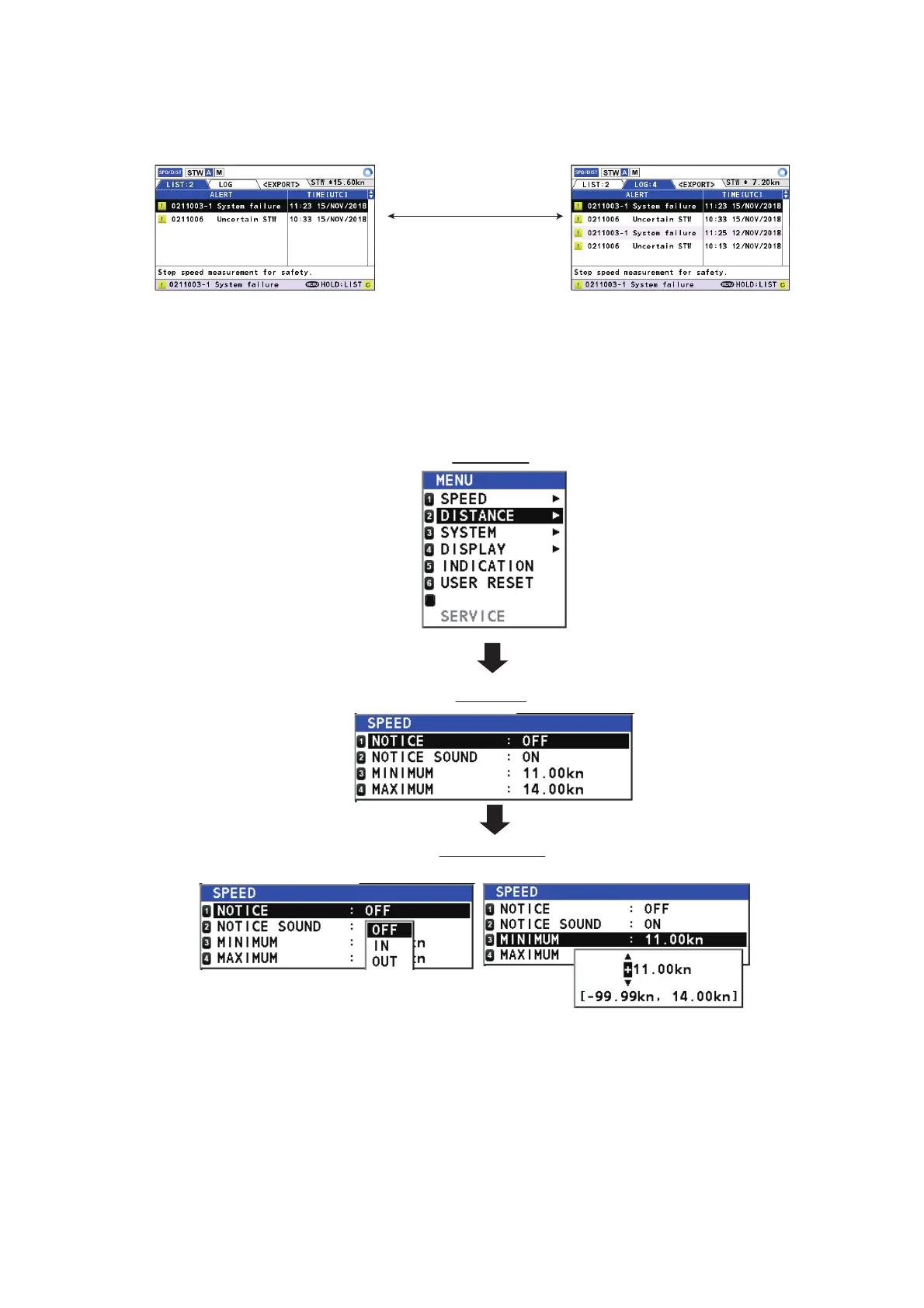
You can access various functions for your DS-85 from the menu. The menu has a simple, easy to
understand structure, as indicated in the figure below.
1.7.1 Menu operations
1. Press the MENU/ESC key to open the main menu.
2. Select an item, then press the ENT key to show the associated sub menu.
3. Select the setting to change, then press the ENT key. A pop-up window showing options or
numeric data input controls appears depending on the menu item selected.
STW
Use ◄, ► to switch
between the alert
log and alert list.
Sub menu
Main menu
7
Pop-up window
(options window, numeric data input window)
EQUIPMENT



 To Next Page
 Loading...



