Vector Chart material •
••
• 107
How to order Product List from a RENC by Telecomm
The RENC is keeping a database of available ENCs and their updates. This list is called Product List. You shall
order the Product List at least once in the beginning. . The Product List enables the ECDIS to know the coverage and
up-to-date situation of a service from a RENC. Normally you should order the Product List at least once per week in
order to know the latest up-to-date situation.
After you have establish a connection to the RENC to order Product list, proceed as follows:
1. Press CHART PLAN push button
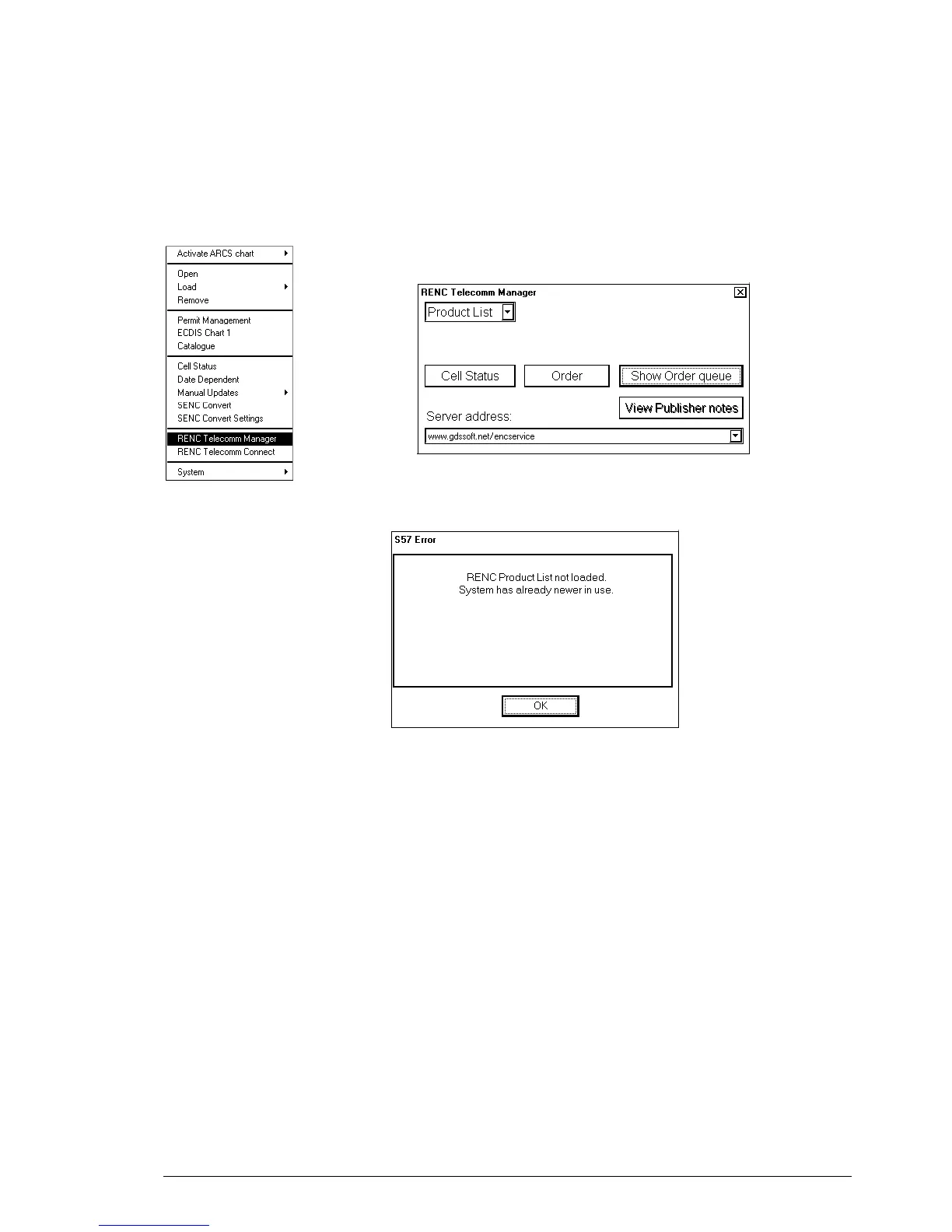
2. Select RENC Telecomm Manager from the menu.
3. Select Product list from a list box in upper left corner. Press Order
button. You will get the latest Product list which will be stored to hard
disk.
4. To view Product List use Catalog of S57 charts and its selector RENC.
If you already had a newer Product
List, you get following message.
NOTE! This should not happen
with Telecomm unless there is
some Date and Time miss match.



 To Next Page
 Loading...








