328 •
••
• Radar Echo Overlay
How to activate radar echo overlay on the ECDIS
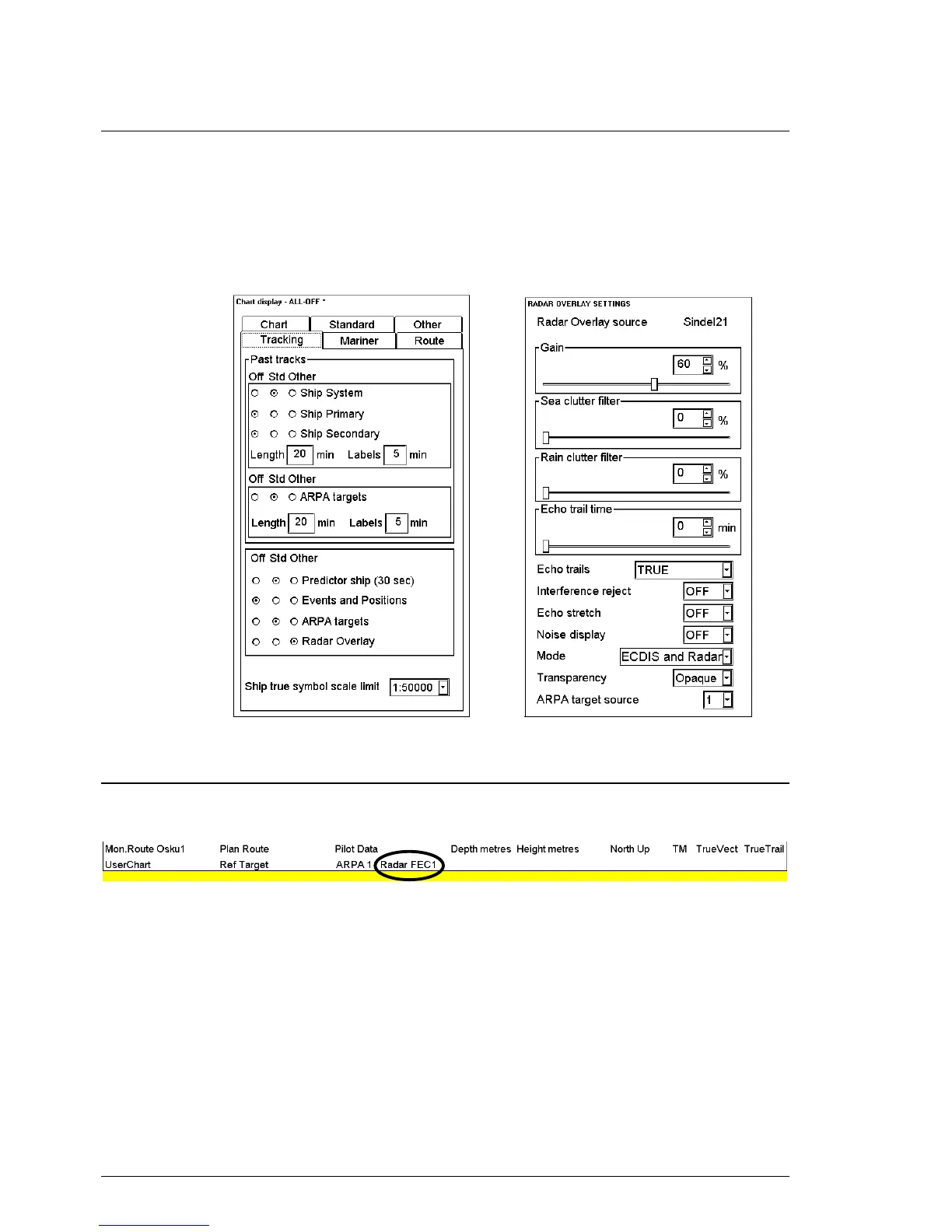
Radar echo overlay can be transferred into the ECDIS display. Like the other details of vector charts radar echo
overlay can add or remove from chart display. In a Tracking sheet of Chart Details there is a control for Radar
overlay. You have to also select mode how to display radar echo overlay in chart display and adjust it's visual
image. To activate radar echo overlay, proceed as follows:
1. Press CHART DISPLAY button, select Tracking sheet open, check that radar overlay is set to
be displayed. (Selected as Std or other).
2. Press RADAR button, Radar overlay dialog box open.
3. Select desired display mode for Radar echo overlay in Radaroverlay setting dialog box.
4. Adjust radar echo overlay visual image.
Source of radar echo overlay
Source of radar echo overlay is permanently shown on upper bar (see example below).



 To Next Page
 Loading...








