1. INITIAL SETTINGS AND ADJUSTMENTS
1-29
1.4.8 Signal and Port setting for external equipment
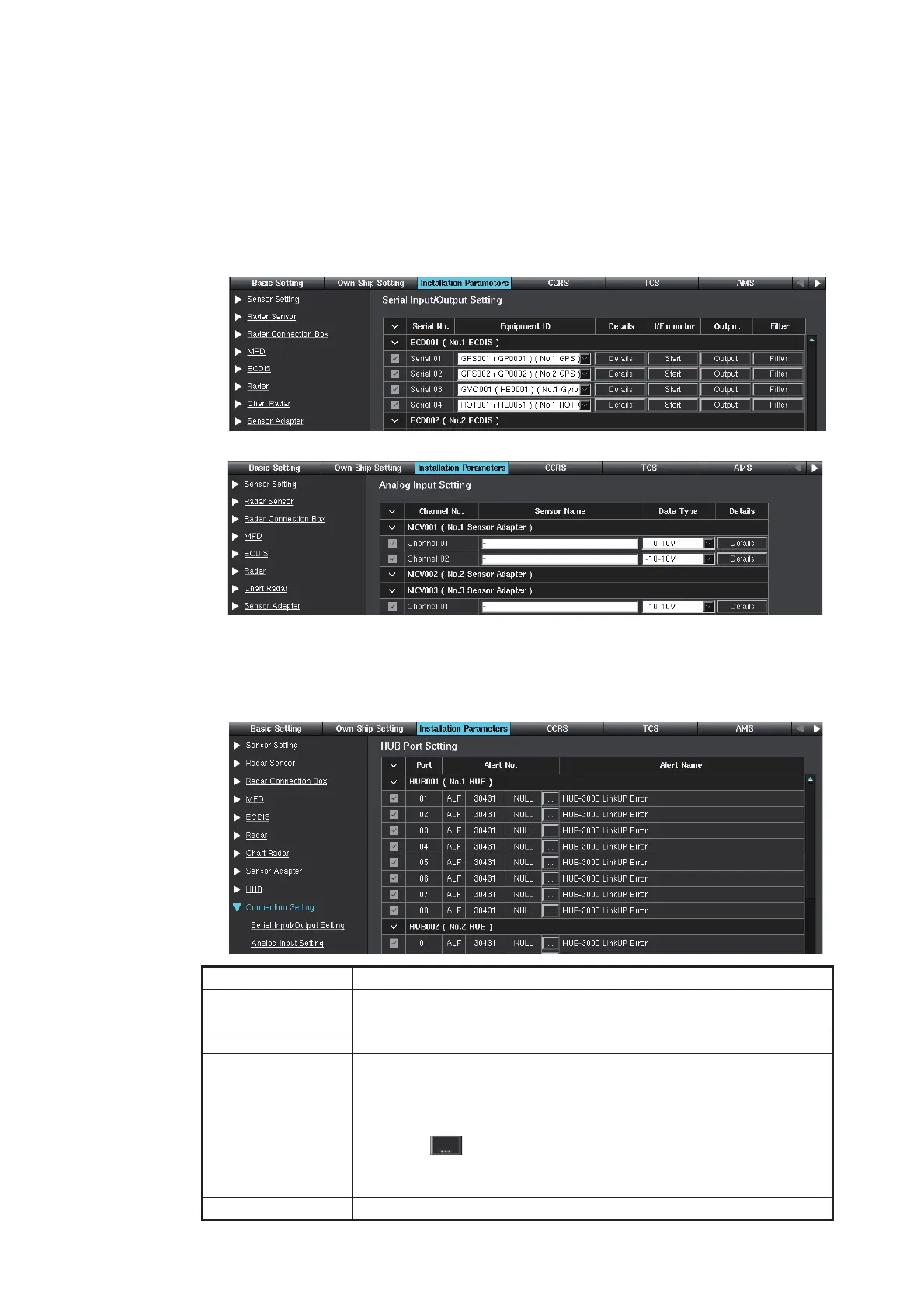
This connection setting menu can set the serial I/O for external equipment, the analog
input for sensor adapter, and HUB port.
1. Click [Connection Setting] on the menu bar.
2. Click [Serial Input/Output Setting] on the menu bar.
The serial input/output settings are shown. The settings can be changed, referring
to step 6 of subsection 1.4.2.
3. Click [Analog Input Setting] on the menu bar, and the analog settings appear.
4. Click [HUB Setting] on the menu bar. The alert settings of each port of HUBs are
shown. The display changes according to the setting for [Monitoring Type] (see
page 1-28).
• [HUB Port Setting] window ([Monitoring Type] = [Monitor Ports])
Item Remarks
Checkbox Check the checkbox for the port which generates the alert when
the connection is interrupted.
[Port] HUB port number.
[Alert No.] When the alert notification sentence is ALR, the alert number is
shown.
When the alert notification sentence is ALF, the alert number and
the Instance ID are shown.
Click the [ ] button to open the [Alert No. Setting] window. Set
the output alert on the [Alert No. Setting] window. Check the radio
button for the desired alert and click the [OK] button.
[Alert Name] Alert name of each HUB port.
On FMD-3100, Serial 05 to 08 are not available.



 To Next Page
 Loading...









