1. INITIAL SETTINGS AND ADJUSTMENTS
1-40
1.7.5 How to import and export [AMS] menu settings
You can import and export the [AMS] menu settings.
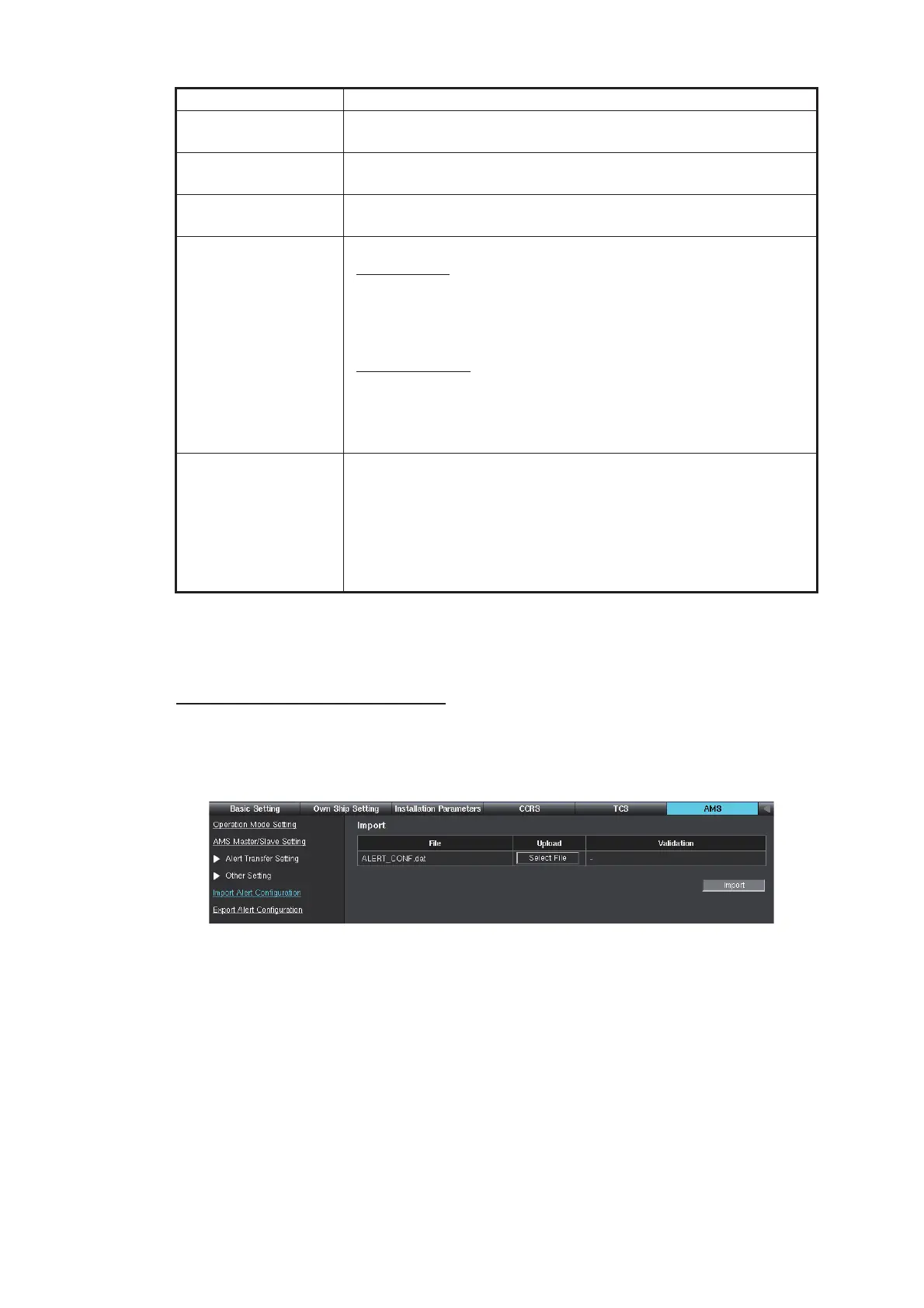
Import the [AMS] menu settings
1. Access the [Common Installation Setting] menu, then select [AMS] from the tab
bar.
2. Select [Import Alert Configuration] on the menu bar.
3. Click the [Select File] button, then select the setting file to import.
After selecting the setting file, the check result of the setting file appears at [Vali-
dation] field. When the check result is “OK”, the [Import] button is available.
4. Click the [Import] button to import the setting file.
5. To save the configuration, perform a consistency check, then save the configura-
tion data on the [Save and Sync] menu.
[Enable Silence But-
ton Setting]
Keep the default setting.
[Redraw Interval Set-
ting]
Keep the default setting.
[Unknown Alert Noti-
fy Setting]
Keep the default setting.
[HBT Sentence Set-
ting]
Set the options for the HBT sentence.
[Send Setting
]
• [Periodic Interval]: Set the transmission interval for the HBT
sentence.
• [Broadcast]: Select [YES] to transmit the HBT sentence to all
equipment in the same network.
[Receive Setting
]
• [Timeout Count]: Communication lost alert occurs when HBT
sentence is not received after the time set here.
• [Additional Time]: Set a time “gap” from the [Timeout Count]
setting to when the communication lost alert is actually sent.
[FELCOM-18 ACK
Port Setting]
Select the item according to [Transmission Group Setting] of
FELCOM18. For how to set [Transmission Group Setting] of
FELCOM18, see the installation manual of FELCOM18.
• [MISC (60001)]: Select when [Transmission Group Setting] of
FELCOM18 is set [MISC].
• [Depend on Talker]: Select when [Transmission Group Set-
ting] of FELCOM18 is set [RCOM].
Item Remarks



 To Next Page
 Loading...









