3-1
3. HUB-3000 IGMP QUERIER
SETTINGS
When constructing a network with two or more FAR-2uu7 radars via HUB-3000, set
the IGMP querier of the HUB-3000.
Items to prepare
• PC with RS-232C serial port (with D-SUB9 pin connections)
• RS-232C serial crossover cable (with D-SUB9 pin connections)
• Software to control a serial device (HyperTerminal, TeraTerm, Putty, etc.)
Note: This manual uses TeraTerm in the explanations and procedure which follow.
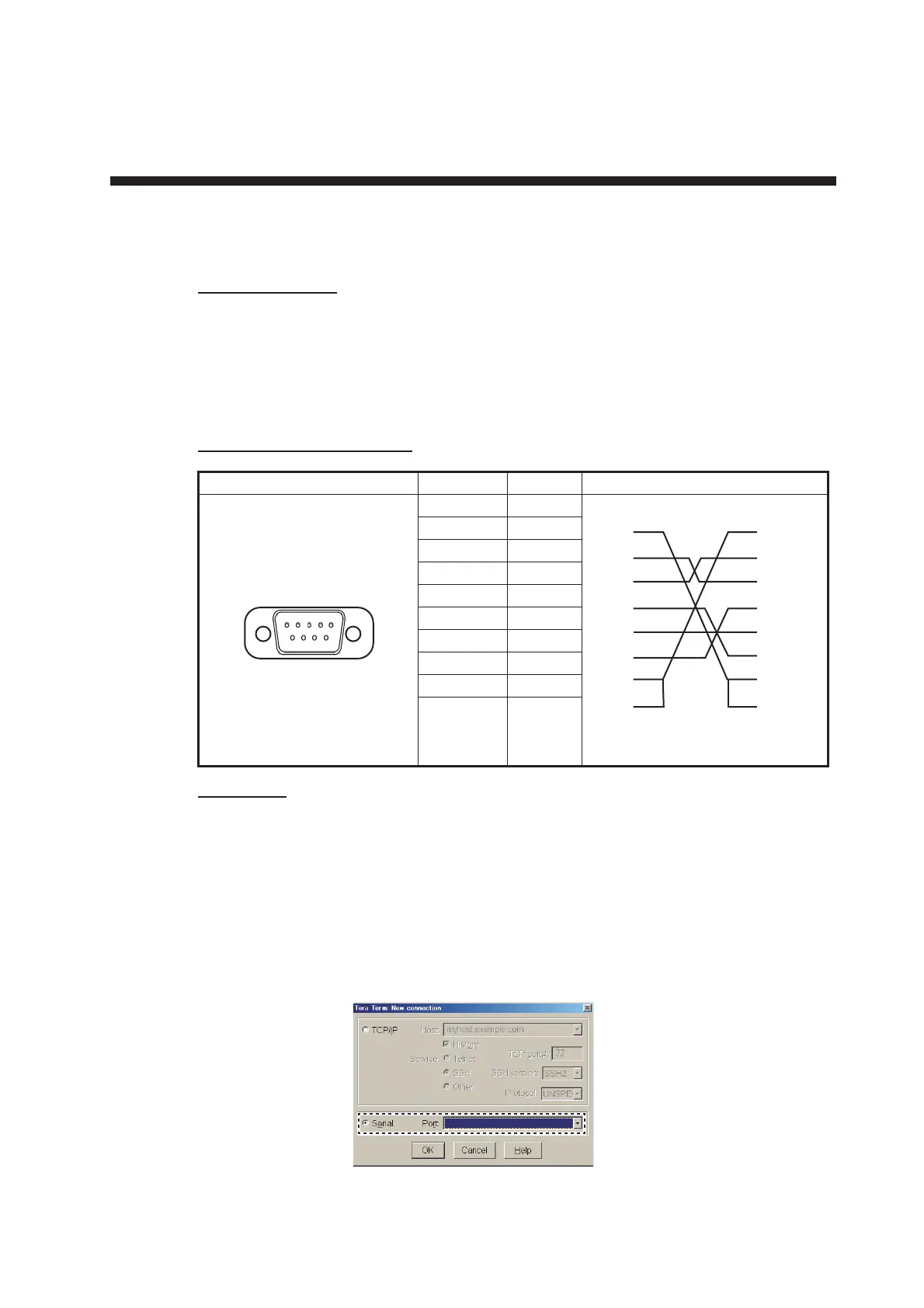
RS-232C crossover cable
Procedure
1. Connect the RS-232C serial cable to the PC serial port.
2. Connect the loose end of the RS-232C serial cable to the HUB-3000 serial port.
Note: When removing the serial cable, disconnect the HUB-3000 first, then
disconnect the PC.
3. Start the TeraTerm application on the PC.
4. Click the [Serial Port] radio button, then select the connected COM port from the
drop-down menu.
Pin locations (Female) Pin No. Signal Connection
1NC
2RD
3SD
4NC
5SG
6NC
7NC
8NC
9NC
Shell FG
㪈㪌
㪍㪐
㪈
㪉
㪊
㪋
㪌
㪍
㪎
㪏
㪈
㪉
㪊
㪋
㪌
㪍
㪎
㪏
㪐㪐



 To Next Page
 Loading...









