21
6. OPTIONAL DGPS
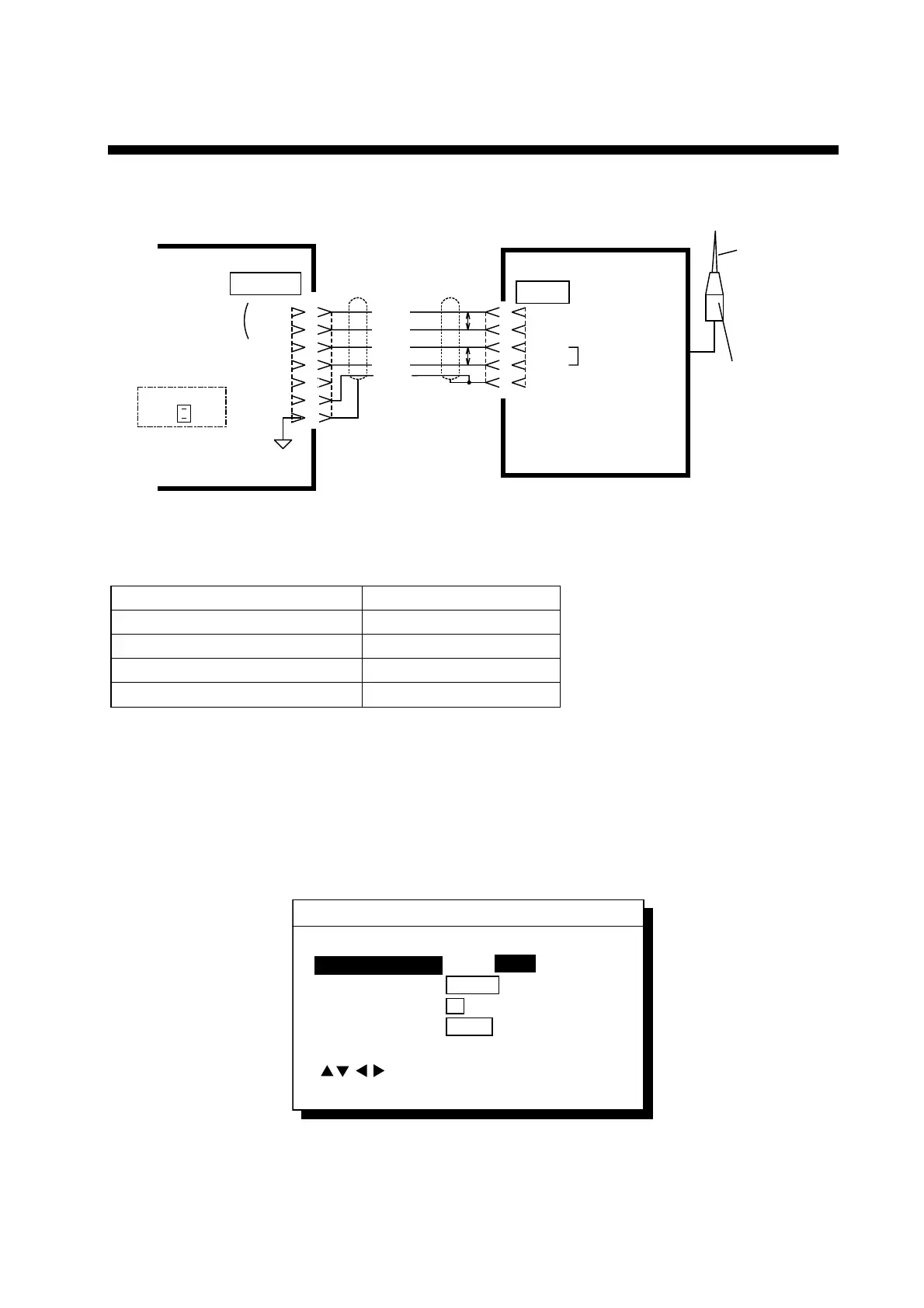
Beacon Receiver Set GR-80
GP-80
GR-80
DATA
DATA 4
NP Board
JP3
Open
TD-A
TD-B
RD-A
RD-B
GND
RD-A
RD-B
TD-A
TD-B
GND
1
2
3
4
5
6
7
4
3
2
1
7
RS-422*
RS-422
* This connection is required for L/L Auto mode of GR-80.
Whip
Antenna
Preamp unit (with
15 m cable)
WHT
BLK
YEL
GRN
BLU
P
P
When the GP-80 is connected with Beacon Receiver GR-80, do the setting as follows.
Signal level RS-422 *1
First Bit LSB
Parity Bit NONE
Stop Bit 1
Communication Speed 4800 or 9600 *1
*1: Coincide with the setting of the Beacon Receiver GR-80.
1) Press [MENU ESC] [9] and [5].
2) Press
!
or
"
to select Level.
3) Press
#
or
$
to select level; RS232C or RS422.
4) Press the [NU/CU/ENT] key.
5) Press
#
or
$
to select DGPS.
6) Press
"
to select To Next Page.
DATA 4 I/O SETUP "DGPS" 2/2
To previous Page
First Bit
Parity
Stop Bit
Baud Rate
: Select
ENT: Enter MENU: Escape
MSB LSB
EVEN ODD NONE
12
4800 9600
DATA 4 I/O SETUP "DGPS" 2/2 menu



 To Next Page
 Loading...












