2-1
2. DISPLAYS
2.1 Display Modes
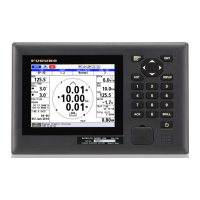
The GS-100 has two main display modes. The SDME (Speed and Distance Measur-
ing Equipment) mode measures speed and distance. The THD (Transmitting Heading
Device) outputs heading data to external equipment. You can switch between the two
display modes with the DISPLAY key. The mode is indicated at the top left corner as
follows:
*: See paragraph 8.3.2.
Each mode has a main (digital navigation data) and sub (graphic) display, and you can
switch between them with the ENT key. For a description of the sub displays, see sec-
tions 2.3 and 2.4.
The example below shows sample screens when the SDME mode is the “Device
Mode”. The screens for the THD mode are similar.
The trip distance can be reset from the main screen of the SDME mode. Long-press
(more than one second) the 0 key to reset the trip distance.
Indication Description
Mode selected on the [Device Mode]* menu.
Top: Currently selected mode.
Bottom: Mode selected on the [Device Mode]* menu.
Press the
ENT key.
Main (digital navigation data) Sub (graphic screen: Navigation)
Press the
ENT key.
Sub (graphic screen: Integrity)
Press the
DISPLAY key.
Main (digital navigation data)
GN 3D
-
GN 3D
-
GN 3D
-


 To Next Page
 Loading...