9
2. OPERATIONAL OVERVIEW
2.1 Controls
DIM
AFT
BOTH
FWD
ALL
AUX
FUNC
IC 4IC 3
TOW
SAIL
HAIL
VOL
ANCH AGND
IC 2
UNWY
IC 1
YELP
FUNC/PTT
LISTEN
STOP
VOL
MAN
AUTOMATIC
PWR OFF
MIC
1
2
3
4
5
6
7
8
9
10
11
12
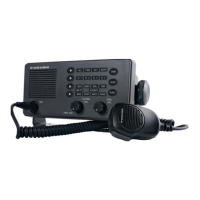
LH-3000, front view
Control description
1
[Hail Select] Key
Chooses loud hailer speaker to use (ALL, FWD, AFT,
BOTH).
2
[Intercom Select] Key
Chooses which intercom station (IC1, IC2, IC3, IC4) to
call.
3
[Upper Signal Select] Key
Chooses warning signal among YELP, UNWY, SAIL and
TOW.
4
[Lower Signal Select] Key
Chooses warning signal among MAN, STOP, ANCH and
AGND.
5
[DIM] Key
Adjusts indicator backlighting, in five levels, including off.
6
[AUX] Key
Transmits audio signal from external source to all intercom
stations.


 To Next Page
 Loading...

