51834295_V_1_7.DOC
36/60
9. EVENT buttons: Events start on EVENT 1-32 buttons
10. PAGE button: Shifting button for buttons 1-32. Press it and the 33-64 events can be accessed with
buttons 1-32. Press again and the 1-32 events are available. Shortly after keeping the button pressed down
simultaneously the controller enters the menu.
11. EVENT 1-32 buttons: The events of the current event group can be launched on them (program,
sequence, record, preset, scene, shape).
12. FIXTURE 1-16 buttons: Selected the unit.
LAMP buttons F3-F4. Shortly after keeping the two buttons pressed down simultaneously the controller
enters the fervent switching on-off mode.
RESET buttons F5-F6: Shortly after keeping the two buttons pressed down simultaneously the controller
enters the reset activating mode.
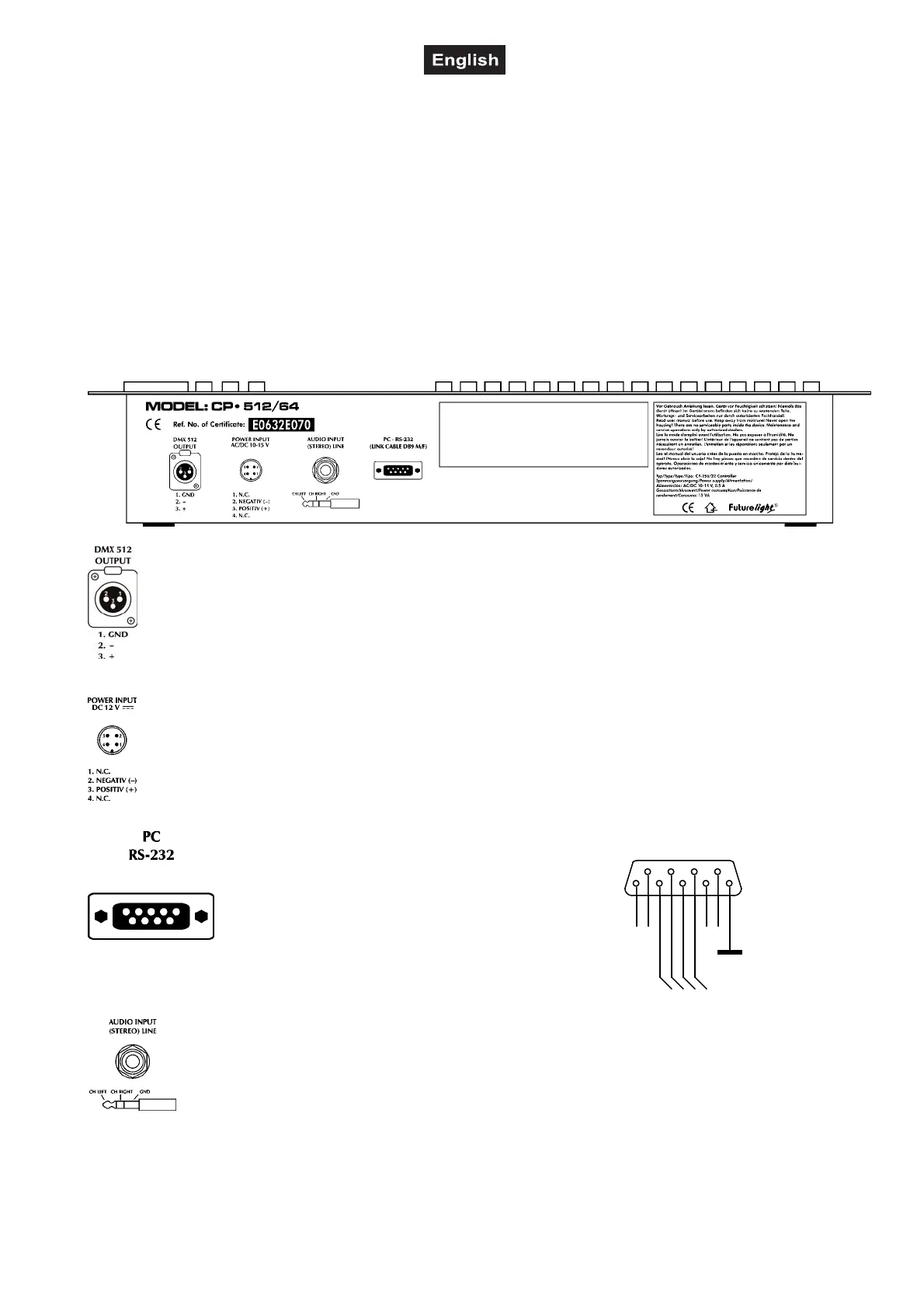
Rear panel:
DMX connector: For scanners, movingheads, dimmers and smoke-machines
Power supply: The controller can be operated from a power supply of AC and DC types, therefore
the linking is not sensitive to polarity. The controller should be operated only from such a power
supply, which is of 12 voltage and can be loaded with at least 500mA.
PC RS232 connector: SubD9
Cable to be used: LINK CABLE DB9 M/F
AUDIO INPUT (STEREO LINE) connector: 6,3 mm jack
RTS
RS232 IN - OUT
P1
5
9
4
8
3
7
2
6
1
TD
RD
CTS


 To Next Page